Introduction
For enterprise IT leaders, SAP Basis teams, CTOs, and finance heads, this migration is no longer optional. Hardware maintenance costs keep climbing, SAP's mainstream support for Business Suite 7 ends in 2027, and on-premise environments simply cannot match the scalability or innovation access that modern business demands.
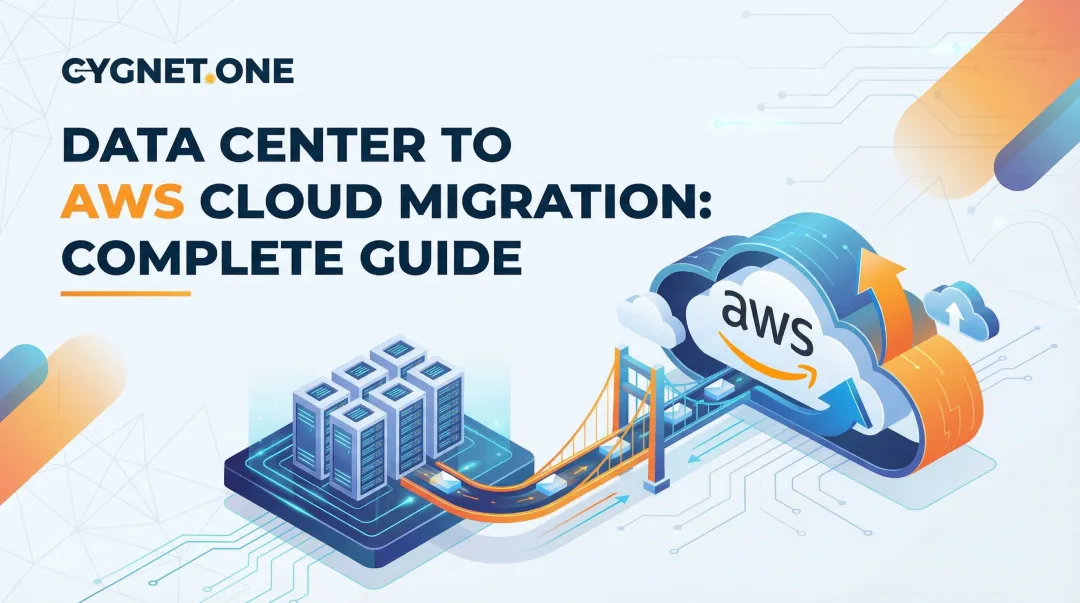
SAP on-premise to AWS cloud migration is the process of moving SAP workloads, databases (including SAP HANA), and associated infrastructure from physical on-premise data centers to Amazon Web Services — either as-is or with transformation.
According to a 2018 IDG Research survey of 100 enterprise SAP-on-AWS customers, 96% reported TCO reduction after moving SAP workloads to AWS, with an average savings of 26% — and one in six customers saving more than 40%.
This guide covers the migration process, applicable strategies, the four-phase methodology, key AWS tools, and the failure points that most commonly derail projects before go-live.
Key Takeaways
- SAP to AWS migration moves business-critical workloads to cloud, reducing infrastructure costs and enabling access to managed services and modern tooling
- AWS and SAP have maintained a certified partnership since 2011, with purpose-built instances and tooling for SAP workloads
- The standard migration follows four phases: Assess → Mobilize → Migrate → Optimize
- Three strategies apply: Rehosting (lift-and-shift), Re-platforming (to SAP HANA), or Re-architecting (S/4HANA greenfield/brownfield)
- Success depends on assessment depth, downtime planning, integration mapping, and uninterrupted compliance
What Is SAP On-Premise to AWS Cloud Migration?
SAP on-premise to AWS cloud migration moves the SAP application layer, database (anyDB or SAP HANA), operating system, and connected integrations from on-premise hardware to AWS-managed cloud infrastructure — replacing data center dependency with scalable, on-demand compute.
The primary financial shift is from CapEx to OpEx. Rather than purchasing and depreciating server hardware on fixed cycles, organizations pay for compute and storage on demand — scaling up for month-end close and scaling back during low-activity periods.
More Than a Server Move
This is where many teams underestimate the project scope. SAP-to-AWS migration frequently involves:
- Converting databases from Oracle, SQL Server, or other anyDB platforms to SAP HANA
- Switching operating systems from Windows to Linux, or upgrading to a supported OS version
- Combining the platform move with an ECC-to-S/4HANA version upgrade
- Validating that target EC2 instance types are SAP-certified for the specific workload
None of these elements appear in a standard lift-and-shift. Each one adds planning complexity — and missing any of them is a common reason SAP migrations run over time or budget.
Why Enterprises Are Moving SAP to AWS
Cost Reduction and TCO
The IDG/AWS survey data tells a clear story: 43% of respondents cited savings on hardware and software investments as a direct benefit. Hardware refresh cycles, data center leases, and infrastructure licensing costs disappear or shrink substantially when SAP runs on AWS pay-as-you-go infrastructure.
Scalability for Business Cycles
On-premise environments force a choice: over-provision and waste money, or under-provision and risk performance failures during peak demand. AWS eliminates that trade-off. SAP workloads can scale vertically and horizontally in response to month-end close runs, seasonal spikes, or M&A-driven growth, with no capital approval process required.
Innovation Access
Running SAP on AWS unlocks native integration with services that don't exist in the on-premise world: Amazon Redshift for analytics, purpose-built AI/ML services, data lakehouse architectures, and real-time streaming with Kinesis. Enterprises can derive competitive intelligence directly from their core SAP data — something structurally difficult to achieve when that data sits in a locked-down data center.
Performance and Availability
AWS offers purpose-built EC2 instance families certified for SAP HANA, covering a range of memory and compute profiles:
- X1 / X1e: Intel Xeon E7 8880 v3 processors, up to 128 vCPUs
- X2idn / X2iedn: Higher memory density for large-scale HANA workloads
- High Memory instances: Up to 24 TB RAM for the most demanding deployments
High-availability architecture and cross-region disaster recovery are built into the platform's core design, not bolted on afterward.
The S/4HANA Deadline Driver
SAP's maintenance strategy sets mainstream maintenance for SAP Business Suite 7 core applications at end of 2027, with optional extended maintenance available through end of 2030 at an additional premium. SAP has committed to an innovation horizon for S/4HANA until 2040.
For companies still on ECC, the transition to S/4HANA is inevitable — and AWS is the natural infrastructure home for S/4HANA Private Edition. ASUG's 2025 research found that 56% of surveyed members were already live or actively moving to S/4HANA, up 11 percentage points from 2024, with the average transition taking 1.5 years.
How SAP On-Premise to AWS Migration Works
AWS Prescriptive Guidance defines a four-phase methodology for SAP landscapes. For large estates, phases can be parallelised across migration waves.
Phase 1: Assess
The Assess phase determines whether the migration succeeds or stalls. Teams conduct discovery workshops to inventory the full SAP landscape: applications, databases, server configurations, OS versions, and integration dependencies. Teams define non-functional requirements — RPO/RTO targets, compliance mandates, and data residency obligations.
Outputs include a cloud architecture design, a realistic business case, and a dependency map that informs every downstream decision. Skipping or compressing this phase consistently ranks as the leading cause of migration failure.

Cygnet.One's engagement methodology starts with a comprehensive architecture and workflow assessment covering the five-dimensional SAP strategy framework — Business Process, SAP Fitment, Digital Technology, Control, and Operating Model — ensuring the migration blueprint is grounded in business reality before any infrastructure work begins.
Phase 2: Mobilize
The Mobilize phase converts strategy into an executable plan. Key activities:
- Provision the AWS landing zone — multi-account architecture, IAM, security controls
- Establish VPN connectivity between on-premise and target AWS environment
- Build a sandbox or test environment to replicate production conditions
- Run prerequisite checks — OS compatibility, SAP note validation, network latency testing
- Finalise the migration plan — wave sequencing, cutover windows, rollback procedures
Issues identified here cost a fraction of what they'd cost at production cutover.
Phase 3: Migrate
The Migrate phase executes the actual move of SAP production systems. The chosen migration strategy (see next section) determines the specific tooling and sequence. Key operational elements:
- Downtime minimisation techniques applied based on business tolerance
- Monitoring and alerting configured before cutover begins
- Cutover plan executed with a defined rollback trigger if issues emerge
- Post-migration support window established to resolve issues not caught in earlier phases
Phase 4: Optimize
Optimisation is not a one-time activity. After go-live, continuous improvement drives the compounding cost benefits:
- Rightsizing EC2 instances based on actual utilisation data
- Reserved Instance and Savings Plan adoption for predictable workloads
- FinOps monitoring — CloudWatch dashboards, autoscaling policies, cost anomaly detection
- Integration with AWS analytics services — Redshift, AI/ML pipelines built on core SAP data
- Offloading infrastructure management so IT teams shift from reactive maintenance to strategic initiatives
Cygnet.One's post-migration services include FinOps-based resource monitoring and ongoing cloud optimisation, with documented outcomes including 30–45% cost reductions for enterprise clients post-migration.
SAP Migration Strategies and Key AWS Tools
The Three Applicable Strategies
| Strategy | What It Means | Best For |
|---|---|---|
| Rehosting | Lift-and-shift SAP as-is to AWS EC2, minimal changes | SAP already on HANA; fast migration priority; no upgrade planned |
| Re-platforming | Migrate from anyDB (Oracle, SQL Server) to SAP HANA on AWS | anyDB environments; HANA benefits desired without full S/4HANA transformation |
| Re-architecting | Greenfield (new S/4HANA on AWS) or Brownfield (ECC conversion to S/4HANA during move) | ECC customers approaching 2027 deadline; transformation goals alongside cloud move |
ASUG's 2025 data shows 44% brownfield, 29% selective data transition, and 26% greenfield among S/4HANA migration approaches — confirming there is no universal right answer.

AWS Launch Wizard for SAP
AWS Launch Wizard simplifies SAP deployments on AWS by automating sizing, configuration, and provisioning. It accepts SAPS, CPU, and memory inputs, estimates deployment costs upfront, and supports the following patterns:
- SAP HANA, NetWeaver, and S/4HANA
- BW/4HANA, Solution Manager, and Web Dispatcher
This reduces time-to-deploy for HANA environments significantly compared to manual configuration.
SAP DMO, DMO with System Move, and DMOVE2S4
SAP's Database Migration Option tools are the backbone of complex migrations:
- DMO — combines software update with database migration for ABAP systems in a single step
- DMO with System Move — adds OS and host migration to the database conversion
- DMOVE2S4 — designed for ECC-to-S/4HANA cloud conversions; uses a memory pipe for network-based transfer, eliminating file system export/import overhead
Note: DMOVE2S4 memory pipe is not available with DMO with System Move — the approaches are distinct and cannot be combined. DMOVE2S4 can be combined with doDMO for downtime optimization.
Data Transfer Tools
For large SAP HANA databases where network transfer is impractical:
- Amazon S3 Transfer Acceleration — accelerates data copying via CloudFront edge locations; useful for database log and backup transfers over slow internet connections
- AWS Storage Gateway — virtual appliance for continuously replicating files, block storage, or tape libraries from on-premise to AWS during phased migrations
Availability note: AWS Snowball Edge (previously used for multi-TB physical transfer) is no longer available to new customers. AWS Migration Hub Orchestrator is also no longer open to new customers as of November 7, 2025. Organizations should verify current tool availability and consider AWS DataSync or partner solutions for large-volume transfers.
Integration Continuity
SAP does not operate in isolation. When SAP moves to AWS, compliance-critical integrations — e-invoicing, GST, and tax workflows — must continue without interruption. Remapping and re-certifying these connections is often the most overlooked risk in migration planning.
Cygnet.One brings 250+ completed ERP integrations across SAP, Oracle, Microsoft Dynamics, Tally, and custom systems. As a GSTN-approved IRP and GSP, ZATCA-recognized e-invoicing platform, and FTA-recognized VAT platform in the UAE, Cygnet.One maps, validates, and re-certifies these integrations as part of the AWS migration — so tax and compliance workflows stay live throughout the transition.
Key Factors That Affect Your SAP to AWS Migration
No two SAP migrations are identical. The variables below shape your tooling choices, timeline, and risk exposure — assess each one before locking in an approach.
Landscape complexity and SAP release: System count, ECC vs. S/4HANA version, database type, and homogeneous vs. heterogeneous migration path all determine which tools apply and how long the project realistically takes.
Data volume and network bandwidth: Multi-TB SAP HANA databases can make pure network transfer impractical. Measure current bandwidth and latency to your target AWS region before committing to a transfer method.
Downtime tolerance: Business SLAs, financial close calendars, and integration dependencies define your permissible cutover window. That window determines whether standard DMO, downtime-optimized DMO (doDMO), or SAP HANA System Replication (HSR) initialization is appropriate. Note that doDMO migrates large tables during uptime using delta-record-and-replay, but actual cutover durations must be validated through project-specific testing.
Integration dependencies: All touchpoints — e-invoicing platforms, GST/VAT APIs, tax reporting systems, HR integrations, and third-party financial connections — must be inventoried, tested in sandbox, and re-validated after cutover.
Regulatory and data residency requirements: AWS region selection must align with applicable data laws. India's RBI mandates payment data storage within India. ZATCA's e-invoicing mandate (live December 2021) governs SAP-connected invoice workflows in Saudi Arabia. The UAE Federal Tax Authority requires accurate VAT record retention. AWS infrastructure supports compliant data placement, but the control design is your responsibility.

Common Misconceptions and Challenges
Three assumptions derail SAP cloud migrations more than any technical failure. Recognizing them early is the difference between a clean cutover and an expensive remediation.
"Lift-and-shift is always the fastest or cheapest option"
It rarely is. Moving SAP without database or OS optimization recreates on-premise performance problems in the cloud. Teams that compress the Assess phase and default to rehosting frequently discover sizing mismatches, unsupported OS/DB combinations, and unexpected licensing costs after go-live. Fixing those issues post-migration costs significantly more than addressing them during planning.
"Downtime is purely a technical problem"
Cutover windows must align with business calendars, integrated systems, user training, and financial period boundaries. ASUG's 2025 survey found 31% of respondents reported migration costs above expectations, and 43% cited training and adoption as a material risk. People and process factors carry as much weight as technical ones.
"Migration and modernisation are sequential"
Planning to "migrate first, upgrade to S/4HANA later" typically means doing the hardest work twice. Brownfield conversion via DMOVE2S4 during the cloud move combines the database migration, OS change, and S/4HANA upgrade into a single project. Tackling them separately doubles both cost and disruption.
Frequently Asked Questions
How do I migrate SAP from on-premise to AWS cloud?
SAP on-premise to AWS migration follows the four-phase AWS methodology: Assess, Mobilize, Migrate, and Optimize. Teams select AWS-certified tools including Launch Wizard for SAP and SAP's DMO/DMOVE2S4 based on the chosen strategy (rehosting, re-platforming, or re-architecting), determined by current SAP version, database type, and transformation goals.
Can SAP be hosted on AWS?
Yes. AWS is one of the most widely used platforms for SAP workloads globally, with more than 5,000 active customers running SAP on AWS. AWS and SAP have maintained a formal certified partnership since 2011, covering SAP HANA, S/4HANA, ECC, and other SAP solutions on purpose-built, certified EC2 instance types.
What is the typical timeline for migrating SAP to AWS?
Timelines vary significantly by landscape size and complexity. Smaller, focused SAP environments can migrate in as little as 10 weeks. Large, multi-system enterprises with version upgrades typically require 12–18 months and execute in parallel migration waves. ASUG reports the average S/4HANA transition takes 1.5 years for surveyed organizations.
What migration approach is best for SAP — lift-and-shift or re-platforming?
It depends on your current database and long-term goals. If SAP already runs on HANA, rehosting is viable. If it runs on Oracle or SQL Server, re-platforming to HANA is advisable. If S/4HANA adoption is planned, re-architecting via Brownfield or DMOVE2S4 avoids executing the complex work in two separate projects.
What are the main challenges of SAP on-premise to AWS migration?
The most frequent challenges include:
- Landscape complexity and dependency mapping
- Data transfer volumes for large HANA databases
- Aligning downtime windows with business calendars
- OS and database compatibility in heterogeneous migrations
- Keeping compliance integrations (e-invoicing, tax APIs, third-party financials) functional post-cutover
Does migrating SAP to AWS cause business downtime?
Some downtime is required during final cutover, but AWS and SAP provide minimization options: SAP HANA System Replication (HSR) initialization, downtime-optimized DMO (doDMO), and parallel sandbox-to-production approaches. Thorough Mobilize phase execution — sandbox testing and validated rollback procedures — significantly reduces the cutover window.