Introduction
Legacy data warehouses were built for a different era. Today, finance, BFSI, FMCG, and IT services organisations are generating data volumes and analytical demands that on-premises infrastructure simply cannot keep pace with.
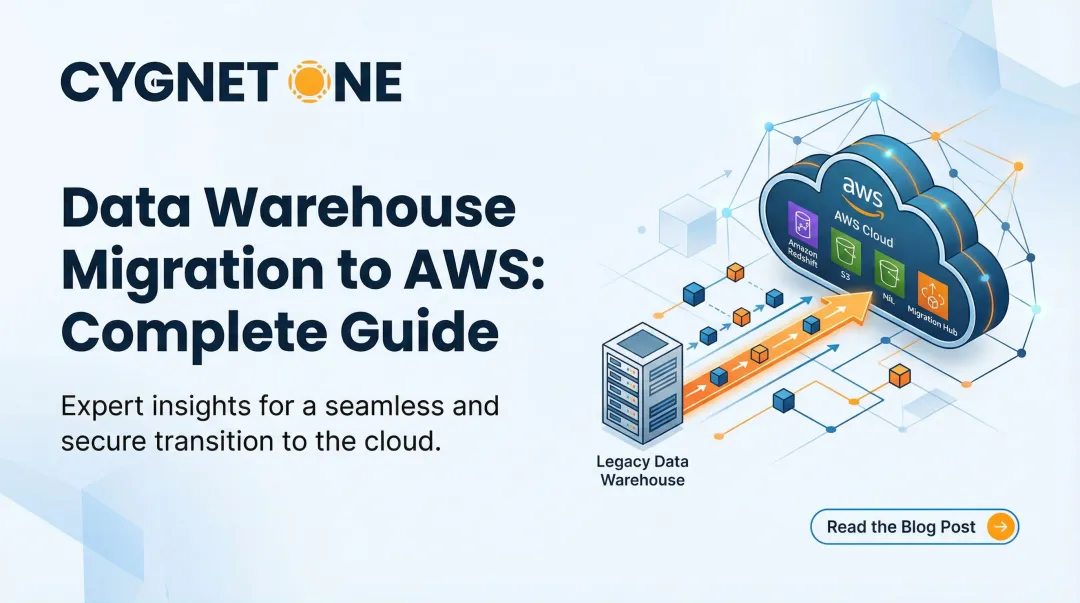
Cloud data warehouse migration is the end-to-end process of moving data, schemas, pipelines, and business applications from legacy environments to cloud-based analytical platforms. This guide is built for IT leaders, data engineers, and business decision-makers navigating that transition at enterprise scale.
According to Gartner's 2024 report, cloud spending now captures 61% of the global database management systems market, decisively overtaking on-premises infrastructure. That shift isn't arbitrary — legacy systems struggle with modern data volumes, lack real-time processing capabilities, and demand significant capital outlay just to keep the lights on through hardware refresh cycles.
What follows is a practical breakdown of how migration works, what separates successful projects from costly failures, and how to approach the process with a clear strategy rather than guesswork.
Key Takeaways
- Cloud data warehouse migration moves analytical infrastructure from legacy systems to cloud platforms, unlocking scalability, real-time analytics, and reduced infrastructure overhead
- Migration spans schema redesign, pipeline reconfiguration, query translation, governance setup, and application re-pointing — far beyond a simple data transfer
- A phased, iterative approach reduces risk; a "big bang" cutover rarely ends well
- Success depends on pre-migration assessment, governance planning, stakeholder alignment, and the right platform and partner choice
What Is Cloud Data Warehouse Migration?
Cloud data warehouse migration is the end-to-end process of moving an organisation's data storage, processing logic, ETL/ELT pipelines, SQL workloads, and downstream business applications from an on-premises enterprise data warehouse (EDW) to a fully managed cloud platform — such as BigQuery, Amazon Redshift, Azure Synapse, or Snowflake.
The goal is to run scalable, cost-efficient analytical workloads without managing physical infrastructure, while gaining access to built-in ML, real-time ingestion, and advanced analytics capabilities.
This is not a simple database migration. Moving raw data between storage systems is just one part. A full data warehouse migration also involves:
- Transforming schemas to fit the target platform's structure
- Translating queries and stored procedures to the new SQL dialect
- Reconfiguring ETL/ELT pipelines for cloud-native ingestion
- Re-implementing data governance, access controls, and compliance rules
That scope makes it a software modernisation project — not just a data movement task.
Why Organisations Migrate Their Data Warehouse to the Cloud
Legacy data warehouses struggle with modern data volumes and variety, lack real-time processing capabilities, and require significant capital expenditure for hardware refresh cycles. Grand View Research projects the cloud data warehouse market will grow at a 23.5% CAGR from 2023 to 2030 — and the driver is straightforward: on-premises systems can no longer keep pace with what modern analytics requires.
What Modern Analytics Demands
Modern analytical demands require capabilities that on-premises systems cannot easily deliver:
- Predictive analytics and ML model training
- Real-time ingestion from multiple streaming sources
- Native BI tool integration
- Elastic scaling for unpredictable workloads
- Native support for SaaS data sources
The Cost of Not Migrating
Organisations running oversized on-premises warehouses face rising licensing costs, hardware refresh obligations, slow query performance under concurrent workloads, and growing difficulty integrating with modern ETL tools.
Legacy appliance-style EDWs with shared-nothing architectures force large, disruptive "forklift upgrades" — entire new chassis purchased just to add capacity, triggering extended project timelines and significant service disruption.

How Cloud Data Warehouse Migration Works
Migration is not a single cutover event but an iterative process structured in phases. Each phase migrates a defined set of use cases (datasets, pipelines, and applications), validates the outcome, then proceeds to the next. Running both systems in parallel during migration is standard practice to allow data synchronisation and risk reduction.
Step 1: Assessment and Discovery
Conduct a full inventory of the existing data warehouse:
- Catalogue all datasets, schemas, stored procedures, and ETL jobs
- Identify downstream reports, dashboards, and business applications
- Map use case dependencies and stakeholder groups
- Document data freshness requirements
- Verify compliance obligations (data residency, regulatory retention rules)
This discovery phase is non-negotiable. Organisations that skip thorough assessment encounter validation failures and analytical inaccuracies in the target environment.
Step 2: Planning and Prioritisation
Define success metrics: Establish KPIs that measure migration progress, data quality, query performance, and cost efficiency.
Create a migration backlog: Rank use cases by business value and risk. Prioritise OLAP workloads and low-dependency use cases in early iterations.
Choose a migration strategy:
- Offload migration: Copy and sync data, migrate downstream apps first (leaving upstream pipelines on legacy system)
- Full migration: Re-point data pipelines to ingest directly into the cloud warehouse, eliminating dependency on the legacy system
Step 3: Schema, Data Transfer, and Query Translation
Three technical workstreams run in this phase, each with distinct complexity:
- Schema migration: Adapt data types, table structures, and partitioning logic to match the cloud platform's capabilities. Dimensional models and star schemas often need redesign to leverage columnar storage and automatic partitioning.
- Data transfer: Use bulk load for historical data and incremental sync for ongoing updates. Most platforms support parallel loading to minimise transfer time.
- Query translation: Translate SQL from legacy dialects (Teradata, Netezza, Oracle) to cloud-native standards. Automated tools handle 60-90% of standard code. Complex stored procedures and proprietary SQL extensions require manual refactoring — this is typically where the bulk of technical effort lands.

Step 4: Pipeline and Application Migration
Re-configure or rebuild ETL/ELT pipelines to ingest data directly from source systems into the cloud warehouse. Migrate business applications — dashboards, reports, operational feedback loops — to connect to the new environment.
For enterprises with ERP-connected pipelines — common in BFSI and finance organisations — this step involves re-mapping source system connectors, revalidating data contracts between ERP and warehouse layers, and coordinating deployment windows to avoid disrupting live financial operations.
Step 5: Testing, Validation, and Go-Live
Validation checks:
- Compare source and target environments at row count, aggregate, and schema levels
- Benchmark query performance against the legacy system
- Conduct UAT with end-users
- Establish a formal definition of "done" for each use case
Go-live cutover: Plan the cutover to minimise downtime, ideally scheduled during off-peak periods. Run parallel systems until confidence in the new environment is established, then decommission the legacy warehouse incrementally.
Key Factors That Affect Migration Success
Pre-Migration Data Quality
Existing data quality issues in the source warehouse—duplicates, orphaned records, inconsistent formats, or undocumented transformations—compound significantly in a cloud migration. Teams that skip a data cleansing pass before migration frequently encounter validation failures and analytical inaccuracies in the target environment. Schedule a data quality audit before any migration work begins — skipping it creates problems that are far harder to fix post-cutover.
Platform Selection and Architectural Fit
Choosing the wrong cloud data warehouse platform for the organisation's workload profile leads to cost overruns and performance disappointment post-migration.
Evaluate platforms against these criteria before committing:
- Match workload type to pricing model — serverless suits bursty, unpredictable loads; provisioned works better for consistent high-volume workloads
- Confirm native integrations with your existing BI tools, ETL pipelines, and SaaS data sources
- Verify compliance certifications relevant to your industry: SOC 2, ISO 27001, HIPAA, PCI DSS, GDPR
- Check SQL dialect compatibility — switching dialects mid-migration creates rewrite overhead
Selecting a per-query pricing model for high-concurrency workloads or choosing a platform that doesn't support the required SQL dialect creates long-term operational challenges.
Governance and Security Continuity
Migrating to the cloud requires rebuilding data governance controls in the new environment:
- Role-based access control (RBAC)
- Column-level and row-level security
- Audit logging and immutable audit trails
- Data masking and tokenisation
- Encryption at rest and in transit
Organisations in regulated industries (banking, insurance, healthcare) must verify that the target cloud environment meets regional data residency and compliance requirements before migrating sensitive datasets. All major platforms—Snowflake, BigQuery, Redshift, Azure Synapse—provide compliance certifications, but implementation of controls is the customer's responsibility.

Stakeholder Alignment and Change Management
Migrations frequently stall not due to technical failure but due to misalignment between IT teams, business users, and data owners. Address this early:
- Establish a migration steering group before technical work begins
- Assign clear use-case ownership to named data owners
- Communicate timeline, expected downtime, and changes to data access patterns transparently throughout
Choosing the Right Technology and Implementation Partner
For enterprise organisations with complex, multi-source data environments, the right implementation partner matters most when migrating finance, tax, or compliance-sensitive data — where pipeline accuracy and business continuity cannot be compromised.
Prioritise partners with demonstrated ERP integration experience (SAP, Oracle, Microsoft Dynamics) and a track record in your industry. Cygnet.One, for instance, has completed 250+ ERP integrations across BFSI and FMCG sectors and holds recognised compliance credentials across India, UK, UAE, and Saudi Arabia — directly relevant for enterprises managing regulated data across multiple jurisdictions.
Common Mistakes and Misconceptions in Cloud Data Warehouse Migration
Misconception: Migration Is Primarily a Data Transfer Task
Teams routinely underestimate where the real work lives. Data movement accounts for a small fraction of total migration effort. The bulk of the work — often 60–70% of project time — sits in:
- Translating SQL queries to the target platform's syntax
- Re-engineering data pipelines for cloud-native execution
- Reconfiguring application connections and re-pointing downstream consumers
Underestimating these areas is a primary driver of scope creep and missed timelines.
Mistake: Attempting a "Big Bang" Migration
Cutting over all use cases at once without iterative validation dramatically increases the risk of data loss, system downtime, and user disruption. A phased, use-case-by-use-case approach with parallel running is the industry best practice. According to Gartner's Peer Community poll, 54% of full EDW migrations take 6–12 months, with many extending to 12–18 months. Wave-based execution is what makes those timelines survivable.

Misconception: Cloud Migration Automatically Reduces Costs
Without workload optimisation, query tuning, and storage configuration suited to the cloud environment, organisations can end up paying more than their on-premises baseline.
According to a 2023–2024 Gartner survey, 69% of IT leaders exceeded their cloud budgets. Cost reduction requires active governance after go-live — reserved instance planning, query performance reviews, and storage tiering don't configure themselves.
Frequently Asked Questions
What are the 4 R's of cloud migration?
The 4 R's are Rehost (lift-and-shift), Refactor (re-architect for cloud), Replatform (migrate with minor optimisations), and Retire/Retain (decommission or keep legacy systems). For data warehouse migration, Refactor is most common—schemas and pipelines are redesigned to leverage cloud-native capabilities rather than simply moved as-is.
How hard is it to migrate my existing database to the cloud?
Difficulty depends on schema complexity, the number of dependent pipelines, and SQL dialect differences between source and target. Simple warehouses can migrate in weeks, while enterprise-scale EDWs with years of accumulated stored procedures and custom ETL logic typically take 6-18 months.
What is the difference between offload migration and full migration?
An offload migration copies and synchronises data from the legacy warehouse to the cloud and migrates downstream apps only, leaving upstream pipelines on the legacy system. A full migration re-points all data pipelines to ingest directly into the cloud warehouse, eliminating the dependency on the legacy system entirely.
How long does a data warehouse migration to the cloud typically take?
Timelines vary widely. A targeted workload migration can take 4-12 weeks, while a full enterprise data warehouse migration with complex pipelines and hundreds of use cases can span 6-18 months. A use-case-by-use-case approach is the most reliable way to manage timelines without disrupting operations.
What are the biggest risks of cloud data warehouse migration?
The primary risks are data loss during transfer, unplanned downtime at cutover, cost overruns from unoptimised queries, compliance gaps if governance controls are not rebuilt, and poor user adoption. Parallel running and phased validation gates address most of these before full cutover.
Should I migrate all my data at once or use a phased approach?
A phased approach works best for most enterprise migrations. Prioritise low-risk, high-value use cases first, validate each phase before proceeding, and run legacy and cloud systems in parallel until the new environment is stable. This limits disruption and builds confidence incrementally.