



































A support team can leave quietly and still take half the operating memory with it.
The risk rarely looks dramatic on day one. Tickets still move. Alerts still reach someone. Then a certificate renewal fails because nobody knows the exception. A vendor escalation sits untouched because the old contact path lived in someone’s inbox. A batch job restarts in the wrong order because the last engineer knew the sequence and never wrote it down.
This is why IT knowledge management deserves more attention during support transition, especially when enterprises evaluate how managed IT services work in enterprise environments. It protects operational memory when people, vendors, tools, and priorities change.
Good documentation does not try to describe everything. It captures what someone needs to restore service, make a safe decision, find the right owner, and avoid repeating the same investigation. Strong managed IT continuity depends on usable knowledge. Without it, support teams inherit tickets. They do not inherit context.
Why IT Knowledge Management Matters When Support Teams Change
The cleanest support transition on paper can still fail in practice. Access is transferred. Meetings are scheduled. A list of applications is shared. Yet the new team keeps asking basic questions because the real operating model was never written down.
That is why IT knowledge management matters when enterprise support changes hands. It reduces the gap between formal responsibility and actual readiness. A team can be accountable for an environment only when it understands how that environment behaves under pressure.
Weak IT documentation creates a false sense of coverage. A folder full of outdated PDFs may satisfy a handover checklist yet fail the first incident. The issue is whether the documentation helps someone make the right decision. Can a new support engineer identify the service owner, dependency map, restart sequence, known failure pattern, risk level, and escalation route without hunting through chats?
If the answer is no, managed IT continuity is fragile.
How Knowledge Loss Shows Up in IT Support
Knowledge loss usually appears as friction before it appears as failure. Tickets take longer because the new team has to rediscover history. Incidents repeat because old fixes were never converted into support notes. Change windows stretch because impact paths are unclear.
This is where IT knowledge management becomes visible in daily operations. The cost hides inside small delays, repeated questions, unnecessary calls, and cautious decision-making.
Many teams confuse access with knowledge. Tool access helps someone see the environment. It does not explain why the environment is configured that way. That explanation must live inside IT documentation, ticket history, runbooks, service maps, and decision records.
Common symptoms include tickets bouncing between teams, fixes creating secondary issues, recurring incidents starting from zero, and renewal or access tasks stalling because asset context is incomplete, often leading to avoidable IT downtime.
Tribal Knowledge Is an Operational Risk
Tribal knowledge often starts as efficiency. A senior engineer remembers the billing system’s restart order. A network lead knows which firewall rule was added after a merger. A support analyst remembers that one recurring alert is harmless only after month-end processing.
That memory feels useful until the person leaves, moves roles, or becomes unavailable during an incident. Then the same memory becomes a dependency.
The point of reducing tribal knowledge in IT is to stop critical context from living in one person’s head. Judgments should stay with skilled people. Repeatable facts should move into shared records.

Procedures belong in runbooks. Decision history belongs in change or architecture records. Operational patterns belong in incident and problem records.
This is also where IT documentation needs ownership. Documents decay when nobody is responsible for accuracy. A stale runbook can be worse than no runbook because it gives the new team confidence in the wrong action.
For enterprises changing providers or moving to a managed services model, reducing tribal knowledge in IT should be treated as transition work, not cleanup work after the transition.
What Strong IT Documentation Should Actually Capture
Most documentation fails because it is written for storage, not for use. It records what exists yet misses what support teams need during time-sensitive work.
Useful IT documentation answers operational questions. What does this service do? What depends on it? What is normal behavior? What has failed before? What should never be changed without approval? Who owns the business decision when technical recovery has trade-offs?
This is where IT runbook documentation earns its place. A runbook should give a qualified engineer enough direction to act safely. It should show sequence, conditions, checks, rollback steps, and escalation points.
A practical runbook should include service purpose, technical owner, dependency list, common alerts, safe recovery steps, validation checks, escalation route, approval triggers, and last tested date.
For managed IT continuity, a last-tested date is not a detail. It tells the new team whether the guidance has been proven. An untested runbook is a suggestion. A tested runbook is evidence.
Together, SOPs and IT runbook documentation form the working layer of an enterprise knowledge base.
Runbooks, SOPs, Escalation Records, Assets, and Service History
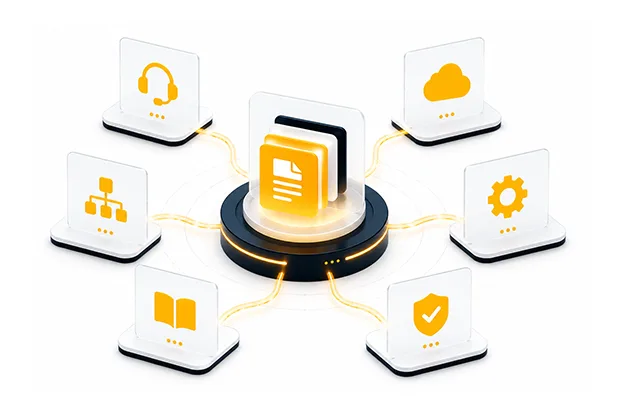
A mature knowledge base is a connected set of records that help support teams move from symptom to action through digital engineering services.
IT knowledge management should cover five knowledge groups.
| Knowledge group | Purpose | What it should capture |
| Runbooks | Restore or stabilize service | Clear steps, checks, owner, rollback |
| SOPs | Handle repeatable work | Standard steps with approval rules |
| Escalation records | Route decisions quickly | Named roles, vendor paths, severity rules |
| Asset knowledge | Understand what exists | Ownership, lifecycle, dependency, risk |
| Service history | Learn from past work | Incidents, fixes, changes, recurring issues |
During a major incident, support teams should not search old email threads for vendor contacts or business owners. They need role-based paths, backup contacts, contract references, and severity rules.
Asset knowledge is just as important. A server name without application context is a weak record. An application name without a business owner, data sensitivity, support tier, and renewal date is also incomplete.
Service history ties it together. When a new provider takes over support, the past six to twelve months of incidents can reveal more than a long handover meeting. Repeated alerts, fragile integrations, manual fixes, and exception-heavy services often show where managed IT continuity is most exposed.
Support Handover Best Practices That Prevent Continuity Gaps
Support transition should be handled like operational due diligence. The goal is to prove that the incoming team can operate the environment without unsafe dependency on the outgoing team.
The best support handover best practices focus on verification. Can the new team execute a sample incident? Can they follow the escalation path? Can they explain the top business services? Can they find the latest change linked to a recurring problem?
A useful transition sequence looks like this:
- Identify the most business-sensitive services.
- Review existing knowledge for accuracy and gaps.
- Map owners, vendors, integrations, and support tiers.
- Test selected runbooks with the incoming team.
- Convert unresolved questions into a transition backlog.
- Track knowledge acceptance before final ownership transfer.
This protects IT service continuity by turning handover into evidence, not memory. If a support team cannot prove readiness for priority services, the transition is incomplete.
Good support handover best practices also include shadow support. The new team should observe live tickets before taking full ownership. Then they should reverse-shadow, where the outgoing team watches the new team handle work and corrects gaps before exit.
Building a Managed IT Documentation Strategy
A managed IT documentation strategy should be built around ownership, review rhythm, and operational triggers. Without those three controls, documentation becomes a historical archive.
Ownership means every critical record has a named role responsible for accuracy. Review rhythm means records are checked on a schedule based on service tier. Operational triggers mean documentation is updated when reality changes.
Update knowledge when a major incident is closed, a workaround becomes recurring, a service owner changes, a vendor path changes, a dependency is added, a change creates a new support condition, or a runbook test fails.
This keeps IT knowledge management close to the work. It also prevents documentation from becoming a separate project that nobody has time to maintain.
A strong managed IT documentation strategy should also define quality standards. A useful article is current, searchable, owned, linked to services, and written for action. A weak article is long, generic, unowned, and disconnected from tickets or assets.
Knowledge Governance for Managed IT Continuity
Governance is where knowledge becomes a managed asset instead of a side task.
For managed IT continuity, knowledge governance should answer four questions:
| Governance question | Why it matters |
| Who owns this knowledge? | Prevents orphaned records |
| When was it last verified? | Shows when instructions are outdated |
| What service does it support? | Connects knowledge to business impact |
| What evidence proves it works? | Separates useful records from assumptions |
The governance model should be tied to service criticality. A tier-one customer platform needs tighter review than a low-use internal tool.
IT documentation should also be part of incident closure. If an incident creates new knowledge and the record is not updated, the organization has learned something and then thrown it away.
The same applies to problem management. Recurring incidents should create better knowledge, not only more tickets. That is where IT knowledge management starts improving operations instead of merely describing them.
Continuity Depends on What the New Team Can Prove
Enterprise support changes are normal. Providers change. Internal teams restructure. Tools get replaced. Key engineers leave. The risk is pretending that support continuity exists because contracts, access, and meetings are in place, which is why enterprises need to understand managed IT vs in-house IT before transitions.
Real managed IT continuity depends on what the next team can prove. Can they restore priority services? Can they explain known risks? Can they find service history? Can they follow the escalation path without chasing people? Can they maintain IT service continuity when the usual expert is unavailable?
That proof comes from usable knowledge, tested runbooks, current SOPs, accurate asset records, and governance that keeps records alive.
This is why IT knowledge management matters for enterprises that cannot afford operational memory loss during support change. Knowledge does not need to be perfect. It needs to be current enough, owned enough, and practical enough to guide the next safe action.
If the next team can act without starting from zero, managed IT continuity is real. If they cannot, the enterprise has not completed a support transition. It has only changed the names on the support roster.
Author


Yogita Jain
Content Lead
Yogita Jain leads with storytelling and Insightful content that connects with the audiences. She’s the voice behind the brand’s digital presence, translating complex tech like cloud modernization and enterprise AI into narratives that spark interest and drive action. With a diverse of experience across IT and digital transformation, Yogita blends strategic thinking with editorial craft, shaping content that’s sharp, relevant, and grounded in real business outcomes. At Cygnet, she’s not just building content pipelines; she’s building conversations that matter to clients, partners, and decision-makers alike.