



































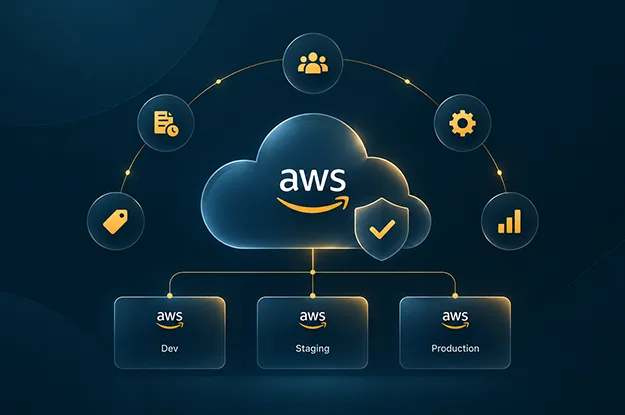
Cloud disorder rarely announces itself as an incident. It appears as a role nobody can explain, a snapshot with no known recovery purpose, or an account whose owner left months ago. Each item seems minor. Together, they make routine change slower and governance harder to defend.
This is why AWS account hygiene deserves its own operating discipline, where aws cloud consulting services help define account governance, ownership models, baselines, and cleanup processes, especially when enterprises need cloud governance models that keep ownership, access, costs, and controls manageable at scale. It is the recurring work of keeping accounts, identities, resources, tags, ownership records, controls, and costs aligned with their current purpose. AWS environment cleanup is part of that discipline, but deletion alone does not fix the conditions that created the clutter.
AWS provides separate mechanisms for account organization, resource discovery, identity review, configuration history, logging, tagging governance, and idle-resource recommendations. The management problem is joining those signals into one decision process. AWS recommends account-level separation for unrelated workloads and environments because accounts provide boundaries for security, billing, and access.
The practical question is simple: can the enterprise still explain why each account exists, who owns it, what belongs inside it, who can reach it, and what would happen if its resources were removed?
Why AWS Accounts Become Hard to Manage Over Time
Most cloud disorder is accumulated residue. Projects finish, teams reorganize, temporary access becomes permanent, and test infrastructure survives the test. New tagging conventions arrive while older resources keep the previous ones.
That decay usually appears as resources with no current workload, tags with obsolete owners, permissions whose original purpose has expired, accounts with no active business owner, and shared components that outlive the systems that created them.
Good AWS account hygiene treats these as ownership failures before deletion tasks. A resource without an owner is harder to classify. An account without an owner is harder to retire. A permission without an owner is harder to justify.
This is where cloud account baseline management earns its place. A baseline should define what an account is expected to contain and which controls must be present from the start. AWS Control Tower baselines can apply prescribed resources and configurations to target organizational units, while Account Factory can provision accounts inside a governed landing zone.
A baseline gives cleanup teams something they often lack: a known-good state to compare against.
How to Find and Remove Stale AWS Resources Safely
A cleanup exercise should begin with evidence, not with a delete button. The first inventory should separate resources into active, required-but-idle, unknown, and retirement candidates.
The distinction between idle and unnecessary matters. A stopped instance may support recovery. A quiet database may serve a month-end process. A snapshot may satisfy retention. Apparent inactivity is a signal, not a verdict.
AWS Compute Optimizer can identify supported idle resources that may be stopped or deleted, while Cost Optimization Hub aggregates recommendations across accounts and Regions. Trusted Advisor can also highlight unused resources. These services narrow the search, but ownership and dependency checks still belong in the decision.
For unused AWS resources, use a retirement sequence:
- Confirm the owner and workload.
- Check recent activity and configuration history.
- Trace attached dependencies, backups, routes, policies, keys, and automation.
- Quarantine uncertain items where feasible and define a rollback path.
- Remove the resource after the owner or service authority accepts the decision.
This makes AWS environment cleanup a controlled retirement process. It also exposes a useful pattern: repeated uncertainty about ownership points back to provisioning and metadata practices.
Review unused AWS resources again after the first cleanup wave. Some items become obviously unnecessary only after their parent workload, test environment, or account has been retired.
How to Fix AWS Tagging and Ownership Gaps
Tagging can look healthy in a spreadsheet and fail during an incident. A key may exist while its value is obsolete. “Owner=Platform” says little if that team cannot identify the application.
Useful AWS tagging hygiene should let an operator answer four questions quickly:
- Who owns this resource now?
- Which service or application depends on it?
- What environment and business purpose does it serve?
- Where should its cost and lifecycle decision go?
AWS Resource Explorer supports searches for resources with no user-created tags using tag:none. AWS Organizations tag policies can help identify noncompliant tag values, although AWS notes that untagged resources do not appear as noncompliant in tag-policy results. AWS Config provides a required-tags managed rule that can check up to six tags at a time on supported resources.
That limitation is easy to miss. A successful rule result does not prove the full tagging model is healthy. AWS tagging hygiene has two failure modes: missing tags and believable-looking tags that are no longer true. The second requires review against current ownership and architecture.
A mature AWS account hygiene routine therefore tests tag truth, not tag presence.
How to Detect IAM Permission Drift
Permissions become risky when their original reason disappears, which is why cloud security architecture should include recurring access reviews, identity governance, and least-privilege controls. A temporary operator role survives a migration. A service principal keeps access after an integration is replaced. The policy may still be technically valid while its business justification has expired.
IAM credential reports show the status of IAM user passwords, access keys, and MFA devices. IAM last-accessed data reports service access activity for at least the last 400 days in supported tracking contexts. AWS also recommends removing IAM user credentials that are no longer needed.
That history is useful because AWS access drift often hides behind “we might still need it.” Recency evidence cannot prove that access is unnecessary, but it can force a better question: what current job, workload, or recovery action still requires this permission?
Treat AWS access drift as a recurring reconciliation between identity and purpose. Review human access, machine identities, cross-account roles, old access keys, dormant IAM users, and exception policies. High-privilege access should have a named owner, a documented reason, and a review date.
The target is fewer permissions whose purpose cannot be explained.
How to Retire AWS Accounts Safely
An account with no current owner can still contain identities, data, keys, network connections, logging dependencies, or delegated administration responsibilities. Closing it without discovery can break something outside the account.
For that reason, stale AWS accounts should enter a retirement workflow instead of being closed ad hoc. Start with ownership, workload inventory, billing activity, identity use, dependencies, data retention, shared services, and organization-level responsibilities.
AWS Organizations provides a defined process for closing member accounts. AWS also recommends structuring accounts and organizational units so policies and service configurations can be applied consistently.
A safe account-retirement record should include:
| Review item | Evidence to capture | Decision |
| Ownership | Current service and cost owner | Keep, transfer, or retire |
| Workloads | Inventory and recent use | Active, archive, or remove |
| Identity | Roles, users, keys, cross-account trust | Retain, reduce, or revoke |
| Data | Backups, snapshots, buckets, databases | Migrate, retain, or delete |
| Dependencies | DNS, networking, logging, security, automation | Repoint or decommission |
| Governance | OU, policies, delegated services, baseline status | Reassign or close |
This is where AWS environment cleanup can expose structural debt. If several stale AWS accounts have the same missing owner, inconsistent tags, and unexplained permissions, the organization has a lifecycle defect rather than several isolated cleanup problems.
How to Identify Orphaned AWS Workloads
Orphaned workloads are rarely one resource. They are dependency graphs left behind after the visible application disappears. A load balancer may still point to a target group, a KMS key may protect retained data, or an S3 bucket may still receive logs.
Deleting objects one at a time can create false confidence. AWS environment cleanup should reconstruct enough of the dependency graph to understand what is safe to remove.
AWS Config records configuration changes for supported resource types and can capture resource relationships in configuration items. AWS CloudTrail organization trails can log activity across accounts in an AWS organization, with new member accounts automatically included. Those records help answer two separate questions: what changed, and who or what called the service.
A useful operator rule is to require two kinds of evidence before retirement: proof of non-use and proof of non-dependency. Either one alone is weak.
That rule turns AWS account hygiene into a reliability practice because cleanup work is less likely to become the source of the next incident.
A Practical AWS Environment Cleanup Routine
The operating model needs different clocks. Resource waste changes quickly. Ownership and account purpose change less often, but carry more risk when they do.
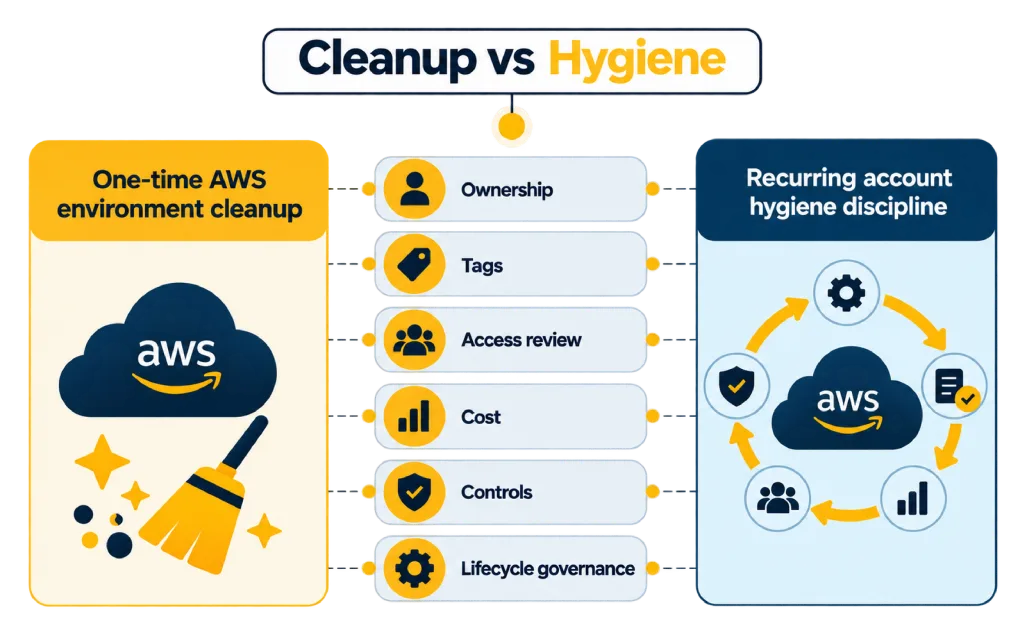
A workable routine is:
Monthly: Review idle-resource recommendations, untagged resources, unexpected cost, dormant credentials, and obvious orphan candidates.
Quarterly: Reconcile owners, application tags, privileged roles, cross-account access, exception policies, and account purpose.
At project closure: Retire temporary infrastructure, archive required data, remove project-specific access, update network dependencies, and assign retained resources to a continuing owner.
At account creation or transfer: Apply the required baseline, logging, security configuration, ownership metadata, contact information, and tagging rules before workloads arrive.
This is the operating core of cloud account baseline management. It makes hygiene preventive rather than episodic.
A second principle matters: AWS environment cleanup should produce an exception register. Some old-looking resources must stay. Record why, who approved the decision, and when it must be reviewed again. Without that record, the same investigation repeats.
For larger environments, central governance can reduce local variation. CloudTrail organization trails can cover member accounts, Security Hub CSPM supports central configuration across multiple accounts and Regions, and AWS Organizations provides the hierarchy for applying organization-wide controls.
Central controls still cannot replace ownership. They can show that an account or resource is outside policy. They cannot decide whether the business still needs it.
What a Manageable AWS Environment Looks Like
The best test for AWS account hygiene is whether the environment can be explained under pressure.
Can the team identify a resource owner without opening three tickets? Can it tell whether an old role still has a valid purpose? Can it retire an account without discovering a hidden logging, network, or data dependency halfway through? Can it explain why an exception still exists?
If those answers are weak, another cleanup sprint will only buy time.
A durable AWS environment cleanup process removes residue, records exceptions, verifies ownership, and feeds recurring defects back into provisioning standards. The same evidence should improve account creation, tagging, access design, project closure, and retirement.
That is the difference between periodic housekeeping and disciplined AWS account hygiene. One makes an environment look cleaner for a while. The other keeps it understandable enough to operate.
Author


Yogita Jain
Content Lead
Yogita Jain leads with storytelling and Insightful content that connects with the audiences. She’s the voice behind the brand’s digital presence, translating complex tech like cloud modernization and enterprise AI into narratives that spark interest and drive action. With a diverse of experience across IT and digital transformation, Yogita blends strategic thinking with editorial craft, shaping content that’s sharp, relevant, and grounded in real business outcomes. At Cygnet, she’s not just building content pipelines; she’s building conversations that matter to clients, partners, and decision-makers alike.