



































Most companies don’t regret their cloud choice on day one. They regret it months later, once the architecture is built and the team is trained around it.
AWS, Azure, and GCP each dominate specific segments of the cloud market.
AWS leads on service breadth. Azure leads in enterprise integration. GCP leads in data and AI infrastructure. Together they account for a market projected to reach $723.4 billion in 2025, according to Gartner’s 2024 Forecast on Worldwide Public Cloud End-User Spending.
But market share alone doesn’t determine which platform fits your organization.
Pricing structures are complex and rarely transparent. Feature sets overlap in ways that aren’t always immediately clear. And the differences between providers often only become apparent after deployment.
The right choice depends on where you operate, how you scale, what your team already knows, and what your budget can sustain over time.
This guide compares AWS, Azure, and GCP across features, pricing, performance, and selection criteria, so your team can make an informed decision.
AWS vs Azure vs GCP at a Glance
AWS, Azure, and GCP are the three leading cloud providers, but each is strongest in different areas.
AWS usually stands out for service breadth and maturity, Azure is often strongest for Microsoft-heavy enterprises and hybrid environments, and GCP is especially strong in data, analytics, Kubernetes, and AI-centric workloads. The right choice depends on your workload, team skills, pricing model, compliance needs, and long-term architecture.
Quick Comparison Table
| Criteria | AWS | Azure | GCP |
| Best for | Broad enterprise workloads | Microsoft-integrated enterprises | Data, analytics, AI-native apps |
| Core strength | Service breadth and ecosystem maturity | Hybrid, enterprise IT integration | Cloud-native, Kubernetes, ML |
| Pricing style | Pay-as-you-go, Savings Plans, Reserved Instances | Pay-as-you-go, Reserved, Enterprise Agreements | Pay-as-you-go, Committed Use Discounts |
| Hybrid and multicloud | AWS Outposts, EKS Anywhere | Azure Arc, Azure Stack | Google Distributed Cloud |
| AI and ML | SageMaker, Bedrock, broad AI catalog | Azure OpenAI, Azure ML, Copilot integration | Vertex AI, BigQuery ML, TPUs |
| Containers and Kubernetes | EKS, ECS | AKS | GKE (originated from Kubernetes) |
| Enterprise ecosystem | AWS Marketplace, 300+ services | Microsoft 365, Teams, Active Directory | Google Workspace, Firebase |
| Learning curve | Steeper, due to service breadth | Moderate for Microsoft shops | Moderate, clean console UX |
| Ideal buyer profile | Enterprises needing max flexibility and scale | Orgs running the Microsoft stack or hybrid | Data teams, ML-heavy workloads |
Quick Verdict by Business Scenario
- Choose AWS for maximum breadth and the most mature ecosystem
- Choose Azure for seamless Microsoft integration and hybrid enterprise needs
- Choose GCP for analytics, Kubernetes-native workloads, and AI-first product development
Key Differences Between AWS, Azure, and GCP
The comparison between AWS, Azure, and GCP is rarely about which is technically superior in every dimension.
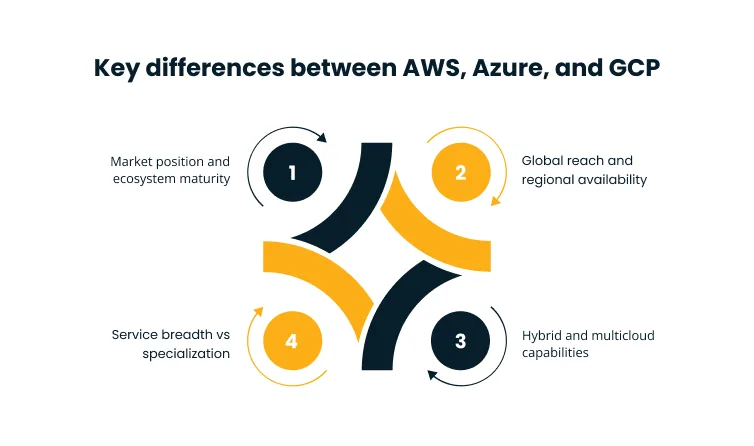
Each provider has built its strengths around a different center of gravity, shaped by the commercial ecosystem it serves, the architectural philosophy it prioritizes, and the technical communities it has cultivated. Understanding those centers of gravity is the actual decision-making lever, not a checklist comparison of feature names.
Market Position and Ecosystem Maturity
AWS entered the market in 2006 and has the deepest service catalog, with over 200 services covering compute, storage, networking, databases, AI, IoT, and more. The breadth of its marketplace, partner network, and third-party integrations makes it the default starting point for many architecture discussions.
Azure built its market position through Microsoft’s enterprise relationships. For organizations running Microsoft 365, Active Directory, SQL Server, or Dynamics, Azure reduces procurement friction and operational overhead in ways a feature comparison cannot capture.
GCP entered later and has never matched AWS or Azure on raw service breadth. What it has built is genuine technical authority in cloud-native tooling, data analytics, and machine learning. Kubernetes itself was developed at Google. That heritage shows in GKE’s engineering quality and the consistency of GCP’s data platform.
According to the 2025 Gartner Report on Worldwide IaaS Public Cloud Services, the IaaS public cloud market grew 22.5% in 2024, with AWS, Azure, and GCP collectively accounting for the majority of that growth.
Global Reach and Regional Availability
Region design determines latency performance, data residency compliance, and disaster recovery options. A provider with a strong regional presence in your operating geographies gives you more architectural flexibility and reduces the risk of centralized failure.
AWS operates across 39 geographic regions with 123 Availability Zones, the broadest footprint among the three. Azure has 70+ regions globally, with particular strength in geographies where AWS coverage is thinner.
GCP has a smaller but strategically distributed network of regions. It is backed by Google’s private global fiber backbone, reducing reliance on public internet transit for cross-region traffic.
Availability Zones matter as much as region count. Multiple independent AZs within a region allow organizations to design for high availability without incurring cross-region latency. This is especially relevant for mission-critical applications with strict uptime requirements.
Service Breadth vs Specialization
AWS’s service breadth is both an advantage and a complexity challenge. With over 200 services, architectural decision-making is harder, and the learning curve is steeper. The depth of options means AWS rarely has a capability gap, but navigating that catalog requires real investment.
Azure’s depth is concentrated in enterprise workflows, particularly identity management through Entra ID, hybrid connectivity through ExpressRoute, and compliance coverage for regulated industries. For teams operating inside the Microsoft ecosystem, these integrations eliminate entire categories of custom development work.
GCP’s strength is focus. BigQuery’s serverless data warehouse, Vertex AI’s managed ML platform, and GKE are widely regarded as best-in-class for their specific categories. Organizations with data-heavy or AI-driven architectures often find that GCP delivers more engineering value per dollar in those domains, even with a narrower overall catalog.
Hybrid and Multicloud Capabilities
The three providers approach hybrid architecture differently. The right choice depends on whether you are extending an existing on-premises environment or building flexibility across cloud boundaries.
Azure Arc extends Azure management and governance to on-premises infrastructure, other clouds, and edge environments. Azure Stack delivers Azure services on-premises for air-gapped or low-latency scenarios, making it a strong option for regulated industries with data sovereignty requirements.
AWS Outposts brings native AWS hardware and services to data centers. EKS Anywhere extends Kubernetes management to customer-managed infrastructure. GCP’s Google Distributed Cloud takes a container-first approach, running Kubernetes workloads consistently across GCP, on-premises, or other clouds.
For organizations treating hybrid cloud as an immediate operational requirement, architecture assessment before provider selection is essential. Cygnet.One’s Cloud Migration and Modernization practice uses the ORBIT framework to assess hybrid readiness and map migration paths that reduce disruption while maintaining compliance requirements.
AWS vs Azure vs GCP Feature Comparison
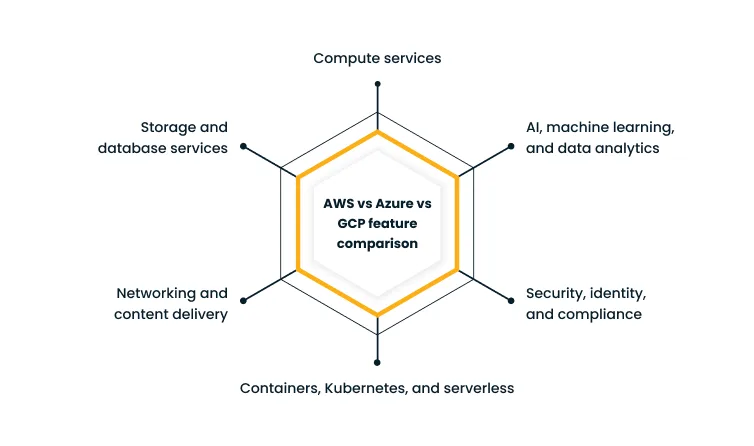
Feature comparisons between cloud providers are most useful when they map to the specific decisions your architecture requires. The sections below compare the most operationally significant categories, the ones where provider differences create real trade-offs in cost, complexity, and workload fit.
| Category | AWS | Azure | GCP |
| Compute | EC2, Graviton, bare metal | Virtual Machines, Azure Hybrid Benefit | Compute Engine, custom machine types, TPUs |
| Object storage | S3 | Azure Blob Storage | Cloud Storage |
| Data warehouse | Redshift | Synapse Analytics | BigQuery (serverless) |
| Managed Kubernetes | EKS | AKS | GKE |
| Serverless | Lambda | Azure Functions | Cloud Run, Cloud Functions |
| ML platform | SageMaker | Azure Machine Learning | Vertex AI |
| Generative AI | Bedrock | Azure OpenAI Service | Vertex AI Model Garden |
| Identity | AWS IAM, IAM Identity Center | Entra ID | GCP IAM |
| CDN | CloudFront | Azure Front Door | Cloud CDN |
Compute Services
AWS EC2 offers the widest range of instance types, including GPU instances for AI training and Graviton ARM-based processors for cost-efficient general computing. Bare metal options are available for workloads requiring direct hardware access. Autoscaling groups are mature and well-integrated with third-party tooling.
Azure Virtual Machines benefit from Azure Hybrid Benefit, allowing organizations to apply existing Windows Server licenses to reduce per-instance costs. B-series burstable VMs handle variable workloads efficiently without paying for peak capacity continuously.
Google Compute Engine supports custom machine types, a useful option when standard instance shapes don’t fit a workload’s resource profile. Google’s TPUs provide purpose-built acceleration for machine learning training that AWS and Azure cannot match at the same scale.
Storage and Database Services
Amazon S3 remains the reference standard for object storage, with mature lifecycle policies and Intelligent-Tiering for cost management. RDS, Redshift, and Aurora cover relational, warehousing, and high-performance managed database needs across most workload shapes.
Azure Blob Storage integrates well with Azure Data Factory for pipeline orchestration. Azure SQL Managed Instance reduces migration effort significantly for SQL Server workloads. Cosmos DB covers globally distributed NoSQL use cases.
Google Cloud Storage’s integration with BigQuery gives it a structural advantage for analytics-heavy architectures. BigQuery’s serverless model eliminates cluster management and scales automatically. AlloyDB and Spanner address transactional and globally distributed workloads.
Networking and Content Delivery
AWS VPC provides granular subnet, routing, and security group controls. Route 53 handles DNS and traffic management. CloudFront covers CDN with a large edge network. Direct Connect handles dedicated private connectivity.
Azure’s virtual networking model mirrors on-premises IT architectures, making it approachable for infrastructure teams from traditional data center backgrounds. ExpressRoute provides private connectivity. Azure Front Door covers CDN and load balancing with integrated WAF.
GCP’s core networking advantage is its private backbone. Traffic between regions travels over Google’s private fiber rather than the public internet, reducing latency variability for globally distributed applications. Cloud CDN and Cloud Interconnect complete the portfolio.
Containers, Kubernetes, and Serverless
GCP’s GKE is widely regarded as the most capable managed Kubernetes service. Google built Kubernetes and ran it at scale internally for years before public release. That engineering heritage is visible in GKE’s operational depth. GKE Autopilot abstracts node management entirely, reducing overhead for teams without platform engineering depth.
AWS EKS integrates well across the AWS service ecosystem, but typically requires more configuration effort than GKE to reach a production-ready state. ECS is a simpler entry point for teams not committed to Kubernetes. Lambda’s serverless model is the most mature in the market.
AKS benefits from Azure DevOps and Azure Monitor integration. Azure Functions covers serverless compute. Cloud Run, GCP’s fully managed container runtime, is increasingly popular for teams wanting container portability without Kubernetes management overhead.
Security, Identity, and Compliance
AWS IAM is granular and powerful, but the policy language becomes complex to manage at an enterprise scale. IAM Access Analyzer and Service Control Policies address governance at the organizational level.
Azure’s identity foundation through Entra ID gives it a natural advantage for organizations already using Microsoft’s identity stack. Conditional Access and Privileged Identity Management support a zero-trust architecture that builds on existing infrastructure rather than replacing it.
GCP’s IAM model is cleaner and more consistent across services, with strong policy inheritance at org, folder, and project levels. Chronicle and Security Command Center provide threat detection with BigQuery-backed analytics.
All three providers hold broad compliance certifications. The specific certifications and regional coverage differ, so compliance mapping must be verified against actual regulatory requirements.
AI, Machine Learning, and Data Analytics
| Category | AWS | Azure | GCP |
| Managed ML platform | SageMaker | Azure Machine Learning | Vertex AI |
| Generative AI | Bedrock (model catalog) | Azure OpenAI (GPT-4, DALL-E) | Vertex AI Model Garden |
| Data warehouse | Redshift | Synapse Analytics | BigQuery (serverless) |
| Streaming | Kinesis | Event Hubs | Pub/Sub |
| AI hardware | EC2 GPU instances | NDv4 GPU, Azure AI hardware | TPUs (A3 Ultra) |
GCP’s strength here is earned. BigQuery’s serverless execution model scales automatically to petabyte-scale queries. Vertex AI provides a unified platform for training, deployment, and monitoring. Google’s TPUs give ML teams hardware that AWS and Azure cannot currently match for specific training workloads.
AWS Bedrock’s model catalog gives teams access to a range of foundation models without managing infrastructure. Azure’s partnership with OpenAI means Azure OpenAI Service provides enterprise-grade GPT-4 access with Azure’s compliance and data residency guarantees. This is a meaningful advantage for regulated industries.
According to the 2025 Gartner Report on AI-Optimized IaaS, 50% of cloud compute resources will be devoted to AI workloads by 2029, up from less than 10% today. Cygnet.One’s Cloud for AI First practice helps organizations design cloud architectures where data pipelines, compute, and model deployment are aligned from the start rather than retrofitted.
AWS vs Azure vs GCP Pricing Comparison
Pricing comparisons between cloud providers are widely misused. Headline compute rates are the least useful signal. Real cost is determined by billing granularity, usage patterns, discount negotiation leverage, and operational overhead that doesn’t appear on any price sheet. The sections below break down the mechanics that actually determine what you pay.
How Cloud Pricing Works Across the Big Three
All three providers use a pay-as-you-go base model with commitment-based discounts layered on top.
- AWS Savings Plans and Reserved Instances offer 1- or 3-year commitments for discounts up to 72% on compute. Spot Instances allow bidding on unused capacity at a significant discount, with interruption risk for non-fault-tolerant workloads.
- Azure Reserved VM Instances work similarly. Azure Hybrid Benefit reduces per-instance costs for organizations with existing Windows Server and SQL Server licenses. Enterprise Agreements consolidate pricing with volume discounts.
- GCP Committed Use Discounts cover compute with 1- or 3-year commitments. Sustained Use Discounts apply automatically, a practical benefit for stable workloads running without active reservation management.
Beyond compute, storage egress, inter-region data transfer, and support plans add costs that vary significantly by provider and usage shape.
Billing Granularity and Discount Models
AWS and Azure bill per second with a one-minute minimum for most services. GCP bills per second from the first second, which matters for short-lived compute tasks at volume.
Enterprise Agreement effects on Azure pricing can be significant. Organizations with large Microsoft licensing footprints often find Azure’s total cost of ownership lower than list rates suggest. This effect is harder to quantify in a generic comparison, but it is a real procurement factor.
AWS’s discount tooling is the most mature. Cost Explorer and Savings Plans recommendations give teams granular optimization paths. GCP’s billing export to BigQuery supports detailed analysis, and Google’s negotiated pricing for large commitments can be aggressive.
Sample Cloud Pricing Scenarios
| Scenario | AWS | Azure | GCP |
| Small web application | EC2 t3.medium or Lambda + S3 | Azure App Service | Cloud Run, per-request billing |
| Data-heavy analytics | Redshift, cost scales with cluster | Synapse, strong for SQL Server shops | BigQuery, cost scales with queries only |
| Steady enterprise app | Reserved Instances for predictable savings | Reserved VM + Hybrid Benefit if licensed | Committed Use + Sustained Use Discounts |
| Spiky AI inference | SageMaker endpoints with autoscaling | Azure AI endpoints + OpenAI Service | Vertex AI endpoints, TPU-optimized |
Hidden Costs Buyers Often Miss
Egress fees are the most consistently underestimated cost in cloud budgets. Moving data out of any provider carries charges that don’t appear in compute comparisons but can dominate bills for data-intensive architectures.
- Inter-region data transfer is charged by all three providers and compounds quickly for distributed architectures
- Storage operation costs (per-request charges) accumulate at scale and are rarely modeled in initial PoCs
- Support plans start at $100/month on all providers, scaling to tens of thousands for enterprise-tier coverage
- Migration and refactoring labor frequently dominates three-year TCO and rarely appears in PoC comparisons
Which Provider Is Usually Cheaper?
There is no universal answer. Azure can offer significant advantages for organizations running substantial Microsoft licensing. GCP frequently competes on basic compute pricing, and per-second billing without minimums is a real differentiator for bursty workloads.
AWS rarely wins on sticker price alone. Well-managed AWS environments often end up cost-competitive through optimization tooling and discount flexibility over a full commitment period.
Cygnet.One’s Cloud Engineering team applies FinOps discipline to identify underused compute and right-size reservations. They typically find 30 to 50% cost reduction opportunities in environments that have grown without active governance.
Performance, Scalability, and Global Infrastructure
Raw performance benchmarks tell a limited story. The performance that matters in production comes from how well a provider’s infrastructure matches your workload’s specific latency, throughput, and scale characteristics.
Provider choices that perform identically in a benchmark can diverge significantly under production traffic patterns. This divergence happens where managed service behavior, egress paths, and distributed systems complexity all interact.
Scalability for Enterprise and Cloud-Native Workloads
AWS’s autoscaling infrastructure is the most battle-tested at scale, having supported some of the world’s highest-traffic workloads for nearly two decades. EC2 Auto Scaling, Application Load Balancer, and managed services like DynamoDB and Aurora handle sharp traffic spikes without pre-provisioning.
GCP’s Kubernetes-native design gives it a structural advantage for cloud-native workloads. GKE Autopilot’s node autoprovisioning and fast VM startup times support responsive horizontal scaling for containerized applications. BigQuery’s serverless architecture handles query volume spikes without any cluster management overhead.
Azure’s Virtual Machine Scale Sets and AKS cluster autoscaler support enterprise workloads effectively. The stronger differentiator on Azure for scale is its integration with enterprise monitoring and governance tooling, giving platform teams observability across scaling events.
Latency, Availability Zones, and Disaster Recovery
Multi-AZ design is the standard recommendation for production workloads across all three providers. AWS’s 123 Availability Zones provide low-latency multi-AZ replication options in most major geographies.
Azure’s paired region model offers clear guidance for disaster recovery design. GCP’s private backbone means cross-region replication benefits from lower latency than connections traversing the public internet.
For global user bases, CDN placement and anycast routing matter as much as region selection. All three providers offer robust CDN solutions, but GCP’s Points of Presence deliver consistent global performance for content and API delivery.
Reliability and Architecture Guidance
AWS’s Well-Architected Framework is the most mature formal guidance system in the market. It covers reliability, security, performance, cost optimization, operational excellence, and sustainability pillars. Well-Architected Reviews are widely used as a governance mechanism in production organizations.
Azure’s Architecture Center offers comparable structured guidance. Azure Advisor provides automated recommendations across cost, security, and performance.
GCP’s alignment with SRE principles gives its documentation a distinctive focus on error budget management, service level objectives, and blameless postmortems. These patterns are increasingly standard in mature platform engineering organizations.
Which Cloud Performs Best for Modern Workloads?
| Workload type | Recommended provider | Reason |
| Transactional enterprise apps | AWS or Azure | Mature managed services, broad tooling |
| Analytics pipelines | GCP | BigQuery serverless, native data services |
| Kubernetes platforms | GCP | GKE origination and engineering depth |
| AI/ML training | GCP or AWS | TPUs (GCP) or SageMaker and GPU fleet (AWS) |
| Globally distributed apps | GCP or AWS | Private backbone (GCP), AZ breadth (AWS) |
Pros and Cons of AWS, Azure, and GCP
AWS Pros and Cons
| Strengths | Trade-offs |
| Largest service catalog and ecosystem | Steeper learning curve due to service breadth |
| Most mature autoscaling and resilience tooling | Complex IAM policy management at scale |
| Largest partner network and marketplace | Egress costs can be high |
| AWS Well-Architected Framework | Feature sprawl can slow architectural decisions |
| Strongest FinOps tooling and optimization | Some older services show architectural age |
Azure Pros and Cons
| Strengths | Trade-offs |
| Seamless Microsoft ecosystem integration | Can be complex outside the Microsoft stack |
| Azure Hybrid Benefit lowers TCO for licensed shops | Some services lag AWS equivalents in maturity |
| Strong compliance coverage for regulated industries | Portal UX criticized for inconsistency |
| Azure Arc for hybrid and multicloud management | Pricing can be opaque without the Enterprise Agreement context |
| Deep enterprise identity via Entra ID | Vendor lock-in risk for Microsoft-heavy organizations |
GCP Pros and Cons
| Strengths | Trade-offs |
| Best-in-class Kubernetes via GKE | Smaller ecosystem and marketplace than AWS or Azure |
| BigQuery is the strongest managed data warehouse | Fewer geographic regions |
| Private backbone reduces cross-region latency | Smaller enterprise sales presence in some markets |
| Cleaner and more consistent IAM model | Fewer available certifications and community resources |
| TPUs for ML training at scale | Historical product naming changes have created confusion |
How to Choose Between AWS, Azure, and GCP
The decision between AWS, Azure, and GCP involves more than comparing service names or running a pricing calculator.
The factors that most reliably predict whether a provider selection succeeds are organizational as much as technical. Team readiness, total cost of ownership, existing vendor relationships, and tolerance for operational complexity over a multi-year horizon all matter. Getting these factors wrong at selection time is expensive to correct.
Start With Workload Fit, Not Brand Preference
Map your actual requirements before comparing providers.
- App type: Stateless web services, data analytics, event processing, and ML training have different infrastructure profiles
- Traffic pattern: Steady-state traffic favors committed discounts. Spiky traffic benefits from per-second billing and serverless options
- Latency sensitivity: Global user bases need strong CDN and edge coverage. Internal enterprise apps care more about data center connectivity
- Data gravity: If your data already lives in one provider’s storage, the transfer cost often outweighs provider switching benefits
- Compliance needs: Verify specific certifications and data residency capabilities against your actual regulatory requirements
Evaluate Team Readiness and Operating Model
Provider selection that ignores team capability creates adoption failure. Before committing, assess:
- Existing certifications and the cost of retraining for a new platform
- DevOps and platform engineering maturity
- Whether your team has internal capacity for Kubernetes operations or needs a managed path
- Which support model fits your organization, whether direct hyperscaler or managed service provider coverage
Compare Total Cost of Ownership, Not Just List Pricing
A three-year TCO model should include:
Licensing costs, since Windows, SQL Server, and Oracle all affect Azure’s relative attractiveness
- Support contract costs at the required tier
- Migration and refactoring labor, which frequently dominates upfront spend
- Training and certification investment
- Observability and governance tooling
- Long-term optimization effort or managed service costs
- Sticker prices from a pricing calculator rarely reflect what you will actually spend.
Decide Whether Single-Cloud or Multicloud Makes More Sense
According to the 2024 Gartner Survey on Multicloud Strategy, 81% of organizations work with two or more cloud providers. Multicloud is more common than single-cloud by a wide margin, but that doesn’t make it always the right choice. Multicloud introduces management complexity, requires strong governance, and increases security surface area.
Organizations that drift into multicloud through acquisition or shadow IT often incur costs without the corresponding flexibility benefits. Single-cloud strategies remain defensible when workloads are tightly coupled, and operational simplicity outweighs portability concerns.
A Practical Shortlist Scorecard
| Criterion | AWS | Azure | GCP | Weight |
| Pricing (TCO) | 3/5 | 4/5 | 3/5 | High |
| Performance | 4/5 | 3/5 | 4/5 | Medium |
| AI/ML | 4/5 | 3/5 | 5/5 | Varies |
| Scalability | 5/5 | 4/4 | 4/4 | High |
| Security/compliance | 4/5 | 5/5 | 4/4 | High |
| Hybrid fit | 3/5 | 5/5 | 3/5 | Varies |
| Ecosystem | 5/5 | 4/5 | 3/5 | Medium |
| Ease of operations | 3/5 | 3/5 | 4/5 | Medium |
Before finalizing a provider selection, a structured cloud readiness assessment surfaces the constraints that matter most to your architecture and procurement model. Cygnet.One’s Amazon Web Services practice runs provider-agnostic assessments across AWS, Azure, and GCP that map workload profiles to infrastructure choices before any commitment is made.
Which Cloud Provider Should You Choose?
Choose AWS if…
- You need the widest service catalog and the most mature ecosystem
- Your team runs mixed workloads without strong Microsoft or Google dependencies
- You want the strongest FinOps tooling and optimization options over a multi-year horizon
- Your architecture requires a broad partner and marketplace ecosystem
Choose Azure if…
- Your organization runs Microsoft 365, SQL Server, Dynamics, or Active Directory at scale
- Hybrid architecture with on-premises infrastructure is a core operational requirement
- You operate in regulated industries where Azure’s compliance coverage aligns with your certifications
- Azure Hybrid Benefit meaningfully reduces your licensing total cost of ownership
Choose GCP if…
- Data analytics, Kubernetes workloads, or ML training are your primary use cases
- You want the most capable managed Kubernetes service in GKE
- Your team is building AI-first or data-first products and needs BigQuery or Vertex AI
- Developer experience and platform engineering quality are decision criteria alongside cost
Choose a Multicloud Approach if…
- You need to match different workloads to different provider strengths
- Resilience through provider redundancy is a formal business continuity requirement
- Your organization has acquired teams or products already operating on different clouds
- Avoiding vendor lock-in at the infrastructure level is a long-term procurement priority
Conclusion
The gap between the three providers is narrowing on commodity infrastructure.
Compute, storage, and networking are closer in capability than ever.
Where the real differentiation lives is in the layers above. How well each provider fits your team’s operating model. How tightly your workloads couple to proprietary services. What the full three-year cost trajectory looks like when licensing, migration, and operational overhead are included. Those are the questions a features comparison cannot answer.
Provider selection made under pressure or by committee often optimizes for the wrong variable. Teams that pick AWS by default, Azure because of a Microsoft relationship, or GCP based on a benchmark often spend years working around that choice.
A structured assessment takes less time than expected and eliminates the most expensive cloud architecture mistake, which is committing to the wrong foundation.
Choosing a cloud provider without a structured workload assessment often means optimizing for the wrong variable.
If you are evaluating AWS, Azure, or GCP for a migration, modernization, or AI-first build, Cygnet.One’s cloud engineering team can run a provider-agnostic assessment. It maps your architecture to the right infrastructure before any commitment is made. Book a demo to get started.
FAQs
GCP is often considered the easiest to learn due to its clean interface and developer-friendly tools. Azure is simpler for teams already familiar with Microsoft products, while AWS has a steeper learning curve because of its vast range of services and configurations.
Yes, many enterprises use a multicloud approach to avoid vendor lock-in and improve flexibility. It allows organizations to run different workloads on different platforms, but it also introduces complexity in management, cost control, and security, requiring strong governance and integration strategies.
AWS has the largest ecosystem, with extensive third-party integrations, a mature marketplace, and a large developer community. Azure follows closely with strong enterprise partnerships, while GCP’s ecosystem is smaller but growing, particularly in data analytics, AI, and cloud-native development.
All three providers follow a shared responsibility model and offer strong security features, including identity management, encryption, and compliance certifications. The real difference comes down to how organizations configure and manage these tools, as misconfigurations are a common source of security risks across all three.
Cloud migration can be complex, depending on application architecture, data size, and dependencies. Moving between providers often requires refactoring workloads, managing data transfer costs, and ensuring minimal downtime. Proper planning and the right migration methodology can significantly reduce the challenges involved.
GCP is widely recognized for its strength in data analytics and machine learning, while AWS offers the broadest range of AI services. Azure stands out for integrating AI into enterprise workflows, particularly for organizations already using Microsoft tools. The best choice depends on your specific use case and scale.
Author


Abhishek Nandan
AVP, Marketing
Abhishek Nandan is the AVP of Services Marketing at Cygnet.One, where he drives global marketing strategy and execution. With nearly a decade of experience across growth hacking, digital, and performance marketing, he has built high-impact teams, delivered measurable pipeline growth, and strengthened partner ecosystems. Abhishek is known for his data-driven approach, deep expertise in marketing automation, and passion for mentoring the next generation of marketers.