































Here is a situation most enterprise IT leaders know well. Your internal team is capable — genuinely capable — but they are stretched. Hence, essential tasks can slip through cracks. For example,
- A critical patch did not get deployed on time last quarter
- The cloud migration has been “in progress” for eight months
And somewhere in the middle of all this, the CISO is asking why threat response times have slipped despite investments in it security services.
The real question is not whether you need outside help. It is how much of your IT you actually want to hand over. That decision — between co-managed IT services and fully managed IT services — shapes everything from your budget structure to how fast you can respond to a breach.
What Are Co-Managed IT Services?
Put simply, co-managed IT services split the work. Your internal IT team stays in place and handles the functions they are good at. The MSP fills the gaps with tasks like:
- Advanced security monitoring
- Cloud infrastructure
- ITSM processes
They can take up whatever your team does not have the bandwidth or specialization to cover. The split is defined upfront and can be adjusted as things change.
What makes this model work is that it does not treat your existing team as a problem to be replaced. It treats them as part of the solution.
What Are the Pros of Co-Managed IT Services?
Institutional knowledge stays in-house
Your internal team knows which legacy system breaks if you touch it the wrong way, which vendor has a history of missing SLAs, and what the CFO actually cares about during budget reviews. A fully external provider has to learn all of that from scratch. With co-managed IT services, that knowledge stays exactly where it is.
Flexibility to adjust scope as priorities shift
If your biggest gap right now is cybersecurity, bring in the MSP for that. Six months later, if cloud management becomes the priority, the scope shifts. You are not locked into a rigid contract that predefines what IT should look like before your business changes.
Cost-effective access to specialist skills without the hiring timeline
In tech, the average time to fill a role stretches beyond 52 days — and for high-demand specializations like cybersecurity and cloud architecture, it regularly exceeds 2 months. That is according to Alpha Apex Group’s analysis of SmartRecruiters’ 2025 Benchmark data.
A managed service provider gives you that skillset without the recruiting wait, the onboarding lag, or the six-figure salary commitment that comes with it.
What Are the Cons of Co-Managed IT Services?
Role clarity takes real effort to get right — and the cost of getting it wrong is high
If both sides think the other is handling patch management, nobody is handling patch management. That kind of grey area does not stay theoretical for long. It shows up as an incident.
Coordination overhead is real, even when managed well
Your internal team and the MSP need shared tools, shared escalation paths, and regular touchpoints. That structure is manageable, but it requires ongoing attention from both sides.
What Are Fully Managed IT Services?
A fully managed IT service is a different arrangement entirely. The MSP takes on complete operational responsibility — infrastructure, security, cloud, helpdesk, vendor management, compliance, disaster recovery. Your organization does not maintain a dedicated internal IT operations function. The provider is accountable for outcomes, not just tasks.
For organizations that do not have an established IT team, or for those whose IT team has been consumed entirely by a large transformation project, this model removes a significant operational burden.
What Are the Pros of Fully Managed IT Services?
Predictable, fixed costs that make financial planning straightforward
Fully managed IT services contracts are typically structured as fixed monthly fees. Capital expenditure on infrastructure and staffing converts into an operational line item — one that does not fluctuate based on how many incidents happened that month.
Round-the-clock coverage without building a 24/7 internal team
Building a genuine always-on IT operations capability internally requires multiple shifts, redundancy planning, and significant ongoing investment. Most enterprises cannot sustain that. An MSP delivers that coverage as a baseline, not an add-on.
A single point of accountability for all IT outcomes
When everything runs through one provider, there is no finger-pointing between internal teams and external vendors when something goes wrong. Accountability is clear from the start.
What Are the Cons of Fully Managed IT Services?
Full dependency on a single provider’s performance
When one provider owns your entire IT function, their performance ceiling becomes your performance ceiling. A strong MSP partnership mitigates this risk, but it does not eliminate it entirely.
Onboarding takes longer for complex environments
Any provider needs time to properly map your environment, understand your business processes, and calibrate monitoring correctly. For enterprises running multi-cloud or hybrid setups, that ramp-up can stretch across several months before the engagement reaches full operational efficiency.
Where the Two Models Actually Overlap
Before focusing on differences, it is worth acknowledging that both models share a common operational foundation.
Shared Characteristics
- SLA-driven accountability structures govern both — response times, uptime targets, and escalation procedures are defined and tracked in either arrangement.
- Access to certified specialists across disciplines like cybersecurity and cloud architecture is standard in both.
- Proactive monitoring and patch management shift IT from reactive firefighting to prevention-focused operations, regardless of model.
- Governance, compliance documentation, and reporting are built into both frameworks — a fact that matters particularly for enterprises operating in regulated industries.
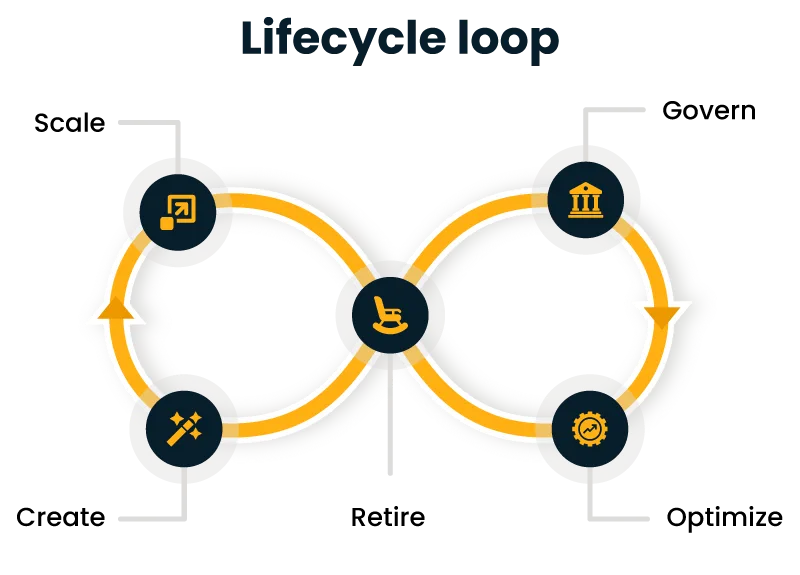
The baseline improvement in IT operations quality applies to both. What differs is the degree of control your organization retains and how responsibilities are structured.
Co-Managed IT vs. Fully Managed IT: What Actually Differs?
Key Differences and a Summary Comparison
A practical managed IT support comparison between the two models comes down to several dimensions that most enterprises genuinely need to evaluate before signing anything.
| Dimension | Co-Managed IT Services | Fully Managed IT Services |
| Internal IT team required | Yes | No |
| MSP responsibility scope | Partial, defined per agreement | End-to-end |
| Operational control | Shared | Delegated to MSP |
| Cost structure | Variable based on scope | Fixed monthly fee |
| Onboarding complexity | Moderate | Higher for complex environments |
| Flexibility to adjust scope | High | Moderate |
| Best suited for | Teams with existing IT staff and specific gaps | Organizations without dedicated IT operations |
Among the IT outsourcing models enterprises are evaluating today, these two sit at different points on the control-versus-convenience spectrum. Neither is inherently superior.
How Do You Choose the Right Model?
This is where a detailed managed IT support comparison becomes genuinely useful, because the answer is not one-size-fits-all.
When to Choose Which Model
| Your Situation | Recommended Model |
| Internal IT team exists but lacks cybersecurity or cloud depth | Co-Managed IT Services |
| No dedicated internal IT operations staff | Fully Managed IT Services |
| Strategic IT decisions need to stay in-house | Co-Managed IT Services |
| Rapid scaling is outpacing internal IT capacity | Fully Managed IT Services |
| Need flexible scope as IT maturity grows | Co-Managed IT Services |
| Single point of accountability for all IT outcomes is the priority | Fully Managed IT Services |
One practical note: many enterprises start with co-managed IT services and evolve the arrangement over time. As internal teams shift focus from operations to innovation, the MSP’s scope often expands naturally. That progression is common, and a good provider will be structured to accommodate it.
Your Right IT Partner: Cygnet.One
Cygnet.One works with enterprises across the globe that are making exactly this decision. Our managed IT practice is built around where your business actually is.
For organizations that want to retain internal IT ownership in specific areas, our co-managed IT services model gives your team the specialist backup they need without displacing what is already working.
For organizations that need full operational coverage, our fully managed IT services handle everything — infrastructure, security, cloud, ITSM, disaster recovery, and AI-driven operational improvements.
Our teams work directly with CIOs, CFOs, IT Directors, and CTOs to make sure the engagement is structured around your objectives. If you are evaluating options, the best starting point is a direct conversation about what your IT environment actually needs.
Author


Yogita Jain
Content Lead
Yogita Jain leads with storytelling and Insightful content that connects with the audiences. She’s the voice behind the brand’s digital presence, translating complex tech like cloud modernization and enterprise AI into narratives that spark interest and drive action. With a diverse of experience across IT and digital transformation, Yogita blends strategic thinking with editorial craft, shaping content that’s sharp, relevant, and grounded in real business outcomes. At Cygnet, she’s not just building content pipelines; she’s building conversations that matter to clients, partners, and decision-makers alike.
