



































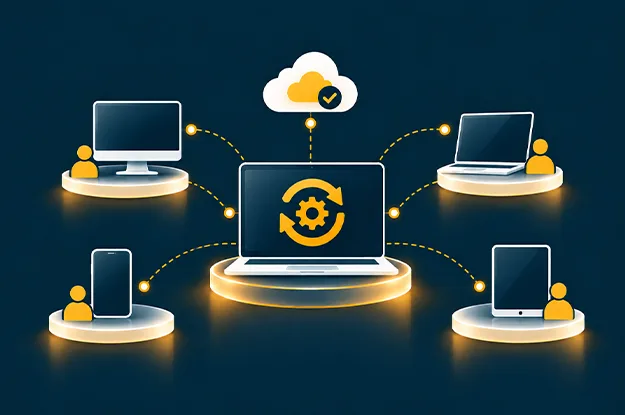
A laptop can remain in company inventory long after IT loses a clear view of its condition. Its record identifies an employee and purchase date, yet the machine may have missed updates, stopped reporting, or changed hands.
That is where control starts to weaken in a hybrid workplace. Devices move between homes, offices, and client sites, while their records sit in separate procurement, identity, security, and support systems. Trouble begins when one team assumes another has completed the next step.
Effective endpoint lifecycle management follows the device through those changes, where managed IT services help maintain visibility across onboarding, compliance, support, and retirement. For enterprises considering managed endpoint services, the more useful question is whether each stage ends with a verified state and an accountable owner. That is the practical test for hybrid workforce endpoint management.
Why Endpoint Control Breaks Down Across Hybrid Teams
In an office, IT can inspect or replace a machine at a desk. Hybrid teams lose that convenience. A new starter receives a laptop from a supplier, an employee postpones a restart, and a leaver returns a device weeks after access is revoked.
Procurement knows what was purchased, identity teams know which account was disabled, and endpoint tools show the last reported configuration. None alone proves the device is ready, secure, or retired.
A sound endpoint lifecycle management program therefore needs agreement on what counts as completion. A laptop may finish enrollment before its required applications are available. A patch can appear deployed while installation or restart is still pending. Even a remote wipe request can remain incomplete when the device is offline.
For hybrid workforce endpoint management, the quality of the handoff matters as much as the control itself. Teams need a shared view of the device’s owner, current state, unresolved exceptions, and next required action.
Device Onboarding Should End With a Usable, Verified Device
The first handoff begins before the employee signs in. A device may be ordered by procurement, registered by an endpoint administrator, shipped by a partner, and activated by someone working far from the office. Delays arise when teams close their tasks independently.
Automated enrollment helps. Microsoft’s Windows Autopilot, for example, can register company-owned Windows devices and apply assigned settings and applications during setup. However, enrollment is only one checkpoint. The employee still needs correct access and working applications. Enrollment requirements also differ for company-owned and personal devices, particularly in how security policies and device-level controls are applied.
Managed endpoint services should make readiness measurable before the onboarding ticket closes. A sensible acceptance check confirms:
- The device serial number, assigned user, ownership type, and delivery status match.
- Disk encryption, endpoint protection, and required security policies are active.
- Business applications work under the employee’s assigned role.
- The device has completed its first successful management check-in.
- The employee knows how to request support without visiting an office.
This is where endpoint lifecycle management affects productivity. A laptop delivered on time still wastes working hours when its VPN or access permissions fail. Recording onboarding defects distinguishes shipment from readiness.
Configuration and Monitoring Need to Track Changes
Once in use, device settings can drift. Temporary administrator rights remain in place, a security agent stops reporting after an update, or a laptop returns from leave with an outdated policy.
Device compliance monitoring needs to show more than a green or red result, which is why IT infrastructure management should connect endpoint status, ownership, check-ins, exceptions, and remediation actions. The date of the last check-in matters. So does the reason for a failed control, the employee’s work pattern, and whether an exception was approved. An offline device should be treated as unknown until fresh evidence arrives, rather than quietly counted as healthy.
The distinction appears in common lifecycle events:
| Lifecycle event | Record often available | Evidence IT still needs |
| New laptop issued | Shipment confirmed | First login, policy application, working apps |
| Configuration changed | Policy assigned | Setting applied and reported back |
| Device misses check-ins | Last-seen timestamp | Contact attempt, reason, agreed next action |
| Employee changes role | Access request closed | Old privileges removed, new apps tested |
| Device is returned | Courier delivery confirmed | Asset received, data sanitized, record closed |
Device compliance monitoring should separate policy failures from reporting failures. One needs remediation; the other needs investigation. Combining them hides the next action.
Patch Management Must Account for Devices That Miss the Window
Patch management gets difficult after deployment. Some laptops miss the window. Others download updates but never restart. Application compatibility problems may require a temporary hold.
An endpoint patching process should track installation and restart confirmation, rather than relying on deployment success alone. It also needs an owner for every exception and an expiry date for temporary deferrals. Long deferrals may also warrant restrictions on sensitive system access.
Verizon’s 2026 Data Breach Investigations Report found that vulnerability exploitation was the initial access vector in 31% of breaches analyzed. Although the finding covers more than employee endpoints, it reinforces the need to track unresolved vulnerabilities alongside patch deployment results.
For endpoint lifecycle management, patch status should feed decisions about access, support, and refresh. An aging laptop that repeatedly fails supported operating system updates may need replacement, not another attempt at remediation. Managed endpoint services can coordinate testing, maintenance windows, failed installations, and follow-up with the people affected, while cybersecurity services help govern unresolved vulnerabilities and endpoint risk.
The endpoint patching process must also respect work schedules. A restart during a customer presentation disrupts work even when it fixes a vulnerability. Planned windows and clear communication reduce that friction.
Remote Device Support Needs More Than a Resolved Ticket
Remote support can fix a technical issue while leaving the underlying device problem intact, one of the top IT challenges enterprises face when endpoint history, compliance, and asset records are disconnected. A technician may restore a VPN connection without noticing that the laptop has been missing security updates. Another may replace a failed machine without updating the asset record or removing its previous access.
Good remote device support brings incident history together with hardware age, management check-ins, compliance status, and previous fixes. The technician can then decide whether to repair the immediate symptom, escalate a recurring fault, or initiate a replacement.
Support must still work when a device cannot reach corporate tools. Teams need identity checks, approved recovery methods, replacement shipping, and collection of failed equipment. An online-only service desk cannot handle every serious device fault.
Managed endpoint services should report repeat faults and replacement delays alongside ticket resolution. A closed ticket may simply mean a workaround was accepted.
Refresh Cycles and Decommissioning Require Clear Evidence
Device replacement is often driven by age, warranty, or failure. Support history should influence the decision too. Frequent battery issues, repeated patch failures, poor application performance, and rising repair effort can justify an earlier review. A well-functioning older device may remain suitable if it is supported and meets security requirements.
Windows 10 reached end of support in October 2025, but some enterprises still operate devices running it. IT teams need to verify eligibility and enrollment in Extended Security Updates, assess Windows 11 compatibility, and plan replacement where needed. Extended Security Updates provide critical and important security fixes for a limited period without restoring full product support.
At retirement, managed IT endpoint governance must follow the device beyond its final day of use. Access removal, recovery logistics, data sanitization, disposal records, and inventory closure involve different teams. NIST SP 800-88 Revision 2 provides guidance on selecting appropriate media sanitization methods based on information sensitivity and organizational requirements.
Remote retirement commands also require verification. In Microsoft Intune, the Retire action removes certain managed applications, settings, and business data without performing a full device wipe. The action runs when the device checks in. For company-owned devices, IT must separately verify that an appropriate data sanitization method has been completed before reuse or disposal.
This is why endpoint lifecycle management needs proof of closure. A completed return means little until IT can verify receipt, appropriate data handling, identity cleanup, and the final asset record. Managed endpoint services should connect those records instead of leaving retirement scattered across inboxes and spreadsheets.
How to Evaluate an Enterprise Endpoint Management Model
A procurement checklist often focuses on device counts, supported operating systems, service hours, and tools. Those questions are necessary. They reveal less about how work moves between teams when normal routines fail.
A more revealing review starts with a small sample of devices. Select a recent starter, a laptop that missed patches, an employee who changed roles, a frequently repaired device, and an asset that left the company. Trace each one from the first request to the most recent verified event.
Four questions expose the gaps. Who owns the next action? How recent is the evidence? Is an exception approved or unresolved? Can the team prove completion?
For managed IT endpoint governance, these answers are more useful than an attractive summary dashboard. They show whether policies have reached actual devices and whether exceptions return to normal handling.
Useful service measures should reflect the same distinction: time from delivery to working readiness, devices with stale check-ins, overdue critical fixes, repeat hardware incidents, and retired devices awaiting verified closure. These measures connect security exposure to interruptions employees can feel.
The support model also deserves a practical test. Ask how the provider handles a laptop that cannot start, a worker in another country, or an employee leaving with an offline machine. Review who approves device replacement, who coordinates shipping, and who confirms that old access has ended.
The value of managed endpoint services becomes clearer when these responsibilities are documented across procurement, the service desk, security, identity management, and disposal partners through structured IT strategy and consulting. A service review can then identify gaps in ownership before those gaps interrupt work.
Keep Device Control Connected to the Employee Lifecycle
Endpoint control weakens most often when a device changes state and the next task has no clear owner. A delivery becomes a setup problem. A postponed restart becomes a security exception. A repaired laptop stays on the inventory after a replacement has already been issued.
Endpoint lifecycle management gives those events a common operating record. It links device readiness, current security evidence, support history, replacement decisions, and verified retirement. The goal is to know which devices can be trusted for work, which need attention, and who is responsible for the next action, helping enterprises reduce IT downtime caused by endpoint failures, patch delays, and unclear handoffs.
For hybrid enterprises, managed endpoint services are most useful when they keep that record current and make the handoffs visible. Clear ownership supports both requirements: employees get working devices, and IT retains control when equipment moves, changes, or leaves service.
Author


Yogita Jain
Content Lead
Yogita Jain leads with storytelling and Insightful content that connects with the audiences. She’s the voice behind the brand’s digital presence, translating complex tech like cloud modernization and enterprise AI into narratives that spark interest and drive action. With a diverse of experience across IT and digital transformation, Yogita blends strategic thinking with editorial craft, shaping content that’s sharp, relevant, and grounded in real business outcomes. At Cygnet, she’s not just building content pipelines; she’s building conversations that matter to clients, partners, and decision-makers alike.