


































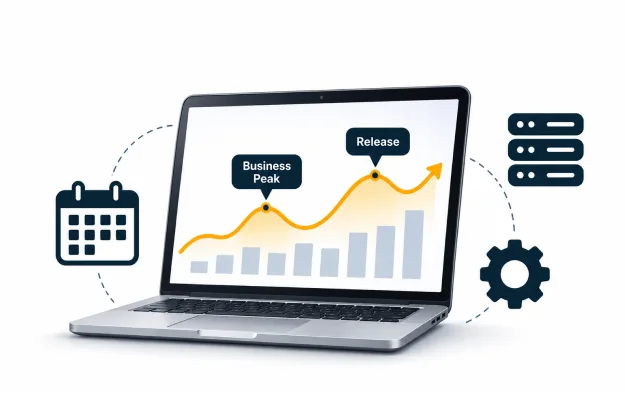
The support queue can look manageable all week and still fail the business on Thursday afternoon. A payroll deadline, a customer billing run, and an application release may converge within the same narrow window. Each requires a different technical response, yet all compete for people whose calendars were settled weeks earlier.
Fixify’s 2026 IT Help Desk Benchmark Report found that Tuesday accounted for 23.5% of weekly ticket volume in its sample. The busiest day varies by organization, but support work rarely arrives evenly. Monthly averages can hide the hours when a business deadline and a shortage of qualified responders meet.
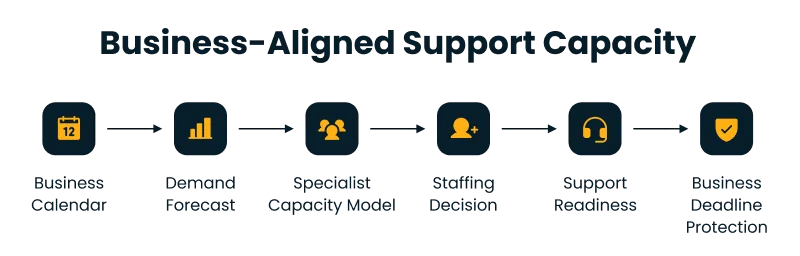
IT service demand forecasting identifies when business activity will create additional support needs, helping managed IT services plan coverage around critical business events. IT support capacity planning then determines whether the right people can respond before an operational deadline is missed.
A fully staffed service desk can still lack the one skill a critical service needs, particularly when application managed services require specialist support during business-critical periods.
Why Headcount Planning Misses Service Demand
Headcount plans define funded positions. Demand forecasts identify work by timing, urgency, and technical requirements. A team can meet its staffing target while incidents stall in the wrong assignment queue, limiting the ability to scale IT operations effectively.
IT service demand forecasting should begin with the services employees and customers depend on. Billing may require database and integration specialists; hiring often generates routine identity requests. Treating both as generic tickets hides the coverage requirement.
Similarly, IT support capacity planning cannot assume that every scheduled hour is available for ticket resolution. Change reviews, training, investigations, shift handovers, and leave reduce time available for routine tickets.
Capacity planning for managed IT teams also needs to reflect service agreements and supplier boundaries. A desktop contractor may lack production database permissions. Rosters should show qualified, available coverage by service and time window, including specialists responsible for infrastructure management services.
Combine Incident Trends With Business Events and Planned Releases
Historical tickets provide the baseline. Separate incidents from requests, remove duplicates linked to major incidents, and distinguish active handling time from external approval delays. A long-open ticket can otherwise distort workload estimates. Categorization matters too: a password reset, production access failure, and user training request should not share the same handling-time assumption.
Add finance closes, inventory counts, customer campaigns, regulatory submissions, and hiring periods from business calendars. Release managers should supply deployment and maintenance dates. Business owners should provide the actual cutoff time, not just the event date. Even successful releases can generate access questions, configuration fixes, and additional monitoring.
An event map makes the coverage assumptions explicit.
| Business event | Likely support pressure | Planning response |
| Financial close or billing cutoff | ERP errors, integration failures, delayed batch outputs | Reserve application and data specialists near the cutoff |
| Customer promotion or sales campaign | Login issues, payment failures, traffic-related incidents | Confirm front-line coverage and rapid routing to platform owners |
| Hiring or branch opening | Account provisioning, device setup, permission requests | Bring forward approvals and schedule request-handling capacity |
| Major application release | Defects, user questions, monitoring alerts | Arrange temporary post-release coverage and clear ownership |
| Audit or regulatory submission | Evidence access, reporting defects, urgent permissions | Prevalidate access and identify accountable service specialists |
Teams that forecast IT ticket demand by business calendar can distinguish recurring pressure from a one-off incident. Predicting seasonal IT support workloads requires separating recurring causes from coincidental spikes.
HDI’s 2025 State of Tech Support survey found that 34% of respondents reported rising ticket volumes. Employee growth, new applications, and changing support channels can shift the baseline between comparable periods.
Label each adjustment with its cause, owner, duration, and confidence. IT service demand forecasting improves when projected increases trace back to actual releases or business events.
Segment Forecasts by Severity and Specialist Skill
Equal ticket counts can require different skills. Password resets may stay with first-line staff. A failed financial interface might need an integration engineer, an ERP analyst, and a business approver immediately. Average tickets per analyst hides that difference.
Segment by affected service, impact and urgency, and required skill or permission. Follow documented severity rules. A small user group may still face an urgent regulatory cutoff.
IT support capacity planning should represent critical work separately from routine queue volume. An engineer booked on changes is unavailable for immediate incident response. Reserve emergency coverage and identify backups for single-person dependencies.
This is where IT support staffing for peak business periods becomes more specific than adding extra first-line shifts. Retail campaigns may need more triage; month-end closes may need ERP, database, and batch-processing specialists. Generalists help only when they can relieve a constrained team.
Record handoffs too. A request waiting for an identity administrator adds demand to that specialist queue, even after first-line triage ends. That queue may determine completion time. It also matters whether the same specialist is supporting several applications during overlapping business events. Separate application forecasts can look safe while their shared dependency is overloaded.
Calculate Baseline Capacity and Model Peak Windows
Estimate incident and request arrivals by category and time window, multiplied by observed active handling time. Add carried-over work and planned support tasks. Track lengthy investigations separately so averages do not hide their effort.
The basic working model is straightforward:
Expected workload hours = forecast arrivals × active handling time + backlog effort + planned support hours.
Usable specialist hours = scheduled qualified hours − unavailable time − protected incident reserve.
Calculate separately for each skill group and service window. Use observed handling times for routine work, with a separate allowance for unpredictable investigations. The gap shows where coverage is exposed.
For IT support capacity planning, the decisive comparison is often the busiest service window. Spare capacity on Friday cannot recover Thursday’s missed payroll cutoff.
When predicting seasonal IT support workloads, test release incidents, specialist absence, and backlog carryover together. Each scenario should lead to a staffing or scheduling decision.
The ability to forecast IT ticket demand by business calendar also provides options for reducing pressure. Move nonurgent changes, prepare standard access requests early, or stagger rollouts. Removing avoidable arrivals can reduce the need for temporary staffing.
Establish Overflow and On-Call Triggers Before Demand Peaks
A forecast needs a response when work exceeds the roster. Waiting for an SLA breach may be too late for a fixed business cutoff. IT support capacity planning should account for activation lead time, including the approvals, system access, and handovers needed before backup staff can begin work.
Use measurable triggers that the service manager and business owner have agreed in advance:
- Queue risk: Projected unfinished high-priority work will exceed the available hours before its required completion time.
- Skill risk: Forecast work requiring a particular authorization or technical skill exceeds that group’s available coverage.
- Business risk: An incident, delayed batch, or integration failure threatens an agreed operational cutoff, regardless of the overall queue size.
IT service demand forecasting should feed these triggers with current queue age, new arrivals, event updates, and specialist availability. The response might be temporary reassignment, an approved supplier overflow route, extended shift coverage, or activation of an on-call engineer. Each requires an owner and response commitment.
IT support staffing for peak business periods must also account for fatigue and the limits of on-call support. On-call works for urgent events, not recurring routine work. Repeated weekend demand belongs in the normal roster.
Capacity planning for managed IT teams should include contract checks before an event. Confirm which supplier can accept overflow, which actions require privileged approval, and whether specialist response times match the business deadline. An engineer cannot help after the approval arrives too late.
Build a Weekly, Monthly, and Quarterly IT Strategy Review
Review forecasts against outcomes. Weekly reviews cover upcoming events, release changes, queue age, and staffing gaps. Monthly meetings examine skill-group workload, missed targets, and overtime. Quarterly IT strategy reviews decide whether recurring demand warrants training, automation, contract revisions, or permanent staffing changes, supported by IT strategy consulting.
Applying ITIL 4 demand management practices in this context involves linking demand signals with capacity and performance management, service level management, and business relationships. ITIL 4 does not list demand management as a separate named practice.
A correct monthly total can still hide a missed peak. Compare forecasts against actual demand by service, severity, skill, and cutoff window. Investigate errors caused by unannounced releases, bad classification, handling-time assumptions, or business changes. Track unused peak coverage too, since repeated overestimates can divert specialists from preventive maintenance and problem management.
IT service demand forecasting becomes a meaningful input to strategy when those findings produce decisions. Repeated identity bottlenecks might justify wider approved access for trained analysts. Frequent post-release surges could lead to clearer release readiness criteria and improved application stability after go-live. A consistently overloaded application specialist group may need documented backup coverage.
The review keeps IT support capacity planning tied to service outcomes, emergency effort, and recurring bottlenecks. It should expose the cost and service-risk implications of changing coverage.
Make Support Capacity a Business Planning Decision
A support forecast earns its place when it changes the roster or the business calendar before a deadline is threatened. IT service demand forecasting provides the advance warning. IT support capacity planning establishes who can respond, under what conditions, and with which specialist permissions.
An effective review of ITIL 4 demand management practices should keep that link visible between service consumption, agreed outcomes, and available resources. The objective is a support plan that reflects how the business actually operates, including the weeks when several important activities compete for the same technical people.
Start the next cycle with a shared calendar of cutoffs, releases, and service pressures. Test specialist availability, agree overflow rules, and adjust coverage before the next peak.
Author


Yogita Jain
Content Lead
Yogita Jain leads with storytelling and Insightful content that connects with the audiences. She’s the voice behind the brand’s digital presence, translating complex tech like cloud modernization and enterprise AI into narratives that spark interest and drive action. With a diverse of experience across IT and digital transformation, Yogita blends strategic thinking with editorial craft, shaping content that’s sharp, relevant, and grounded in real business outcomes. At Cygnet, she’s not just building content pipelines; she’s building conversations that matter to clients, partners, and decision-makers alike.