







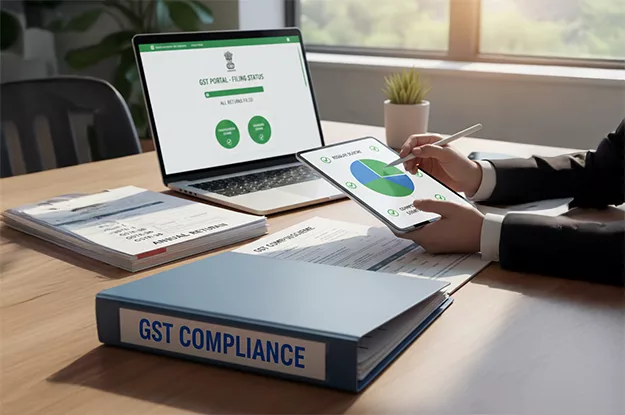




























Where there is a mismatch between the credit that the ISD issues and the reports of the suppliers in relation to that GSTIN, then the mismatch does not usually remain confined to one place; it flows through the breakup for recipient organizations, the classification under tax heads, and the working papers.
Credit distributed without proper support can be reversed with interest, and it draws questions in audit long before that.
The reason always lies in the reconciliation behind the distribution. GSTR-6A, the supplier-reported statement, and the ISD purchase register are maintained independently, and they differ for ordinary reasons: late supplier filing, amendments, invoice numbers typed in different formats, and bookings made in a different period. Treating every difference as an error wastes time. Ignoring them puts the credit at risk.
This guide focuses specifically on ISD reconciliation. For context on the underlying concept and its role under GST, the fundamentals of ISD under GST provide the necessary background. From here, the discussion stays with the reconciliation process: the data sources to compare, the matching keys to use, ownership of each mismatch type, and the evidence to retain before filing GSTR 6.
Data Sources for GSTR-6A vs Purchase Register Reconciliation for ISD
A reconciliation only works if you’re clear about what each side of the comparison really is.
GSTR-6A comes from the supplier side. It’s an auto-drafted, view-only statement built from what your suppliers report in their outward returns against your ISD GSTIN. You’ll see B2B invoices, debit and credit notes, and any amendments made. You can’t edit it, and it changes whenever a supplier files or amends something. That’s why the date and time of your download matter almost as much as the figures in it.
For an ISD, the purchase register is basically the record of input service invoices that the company has booked in its accounts. It usually includes details like the vendor, invoice date, GST amount, cost centre, and the business unit for which the service was used. But simply having an invoice in the purchase register does not mean the GST can be distributed as ITC. The tax team still needs to check the invoice, confirm whether the ITC is eligible, and identify the right unit to which the credit should be distributed. In short, the purchase register shows what has been recorded in the books, while the tax review determines what can be distributed.
Around those two you’ll want a few other things within reach: the credit and debit note registers from finance, vendor master data (GSTIN, legal name, status), last period’s closing reconciliation with its carry-forward items, and the GSTR-6 working file showing what has already been distributed.
A simple way to keep it straight: GSTR-6A is what the supplier said, the register is what you recorded, and GSTR 6 is what you passed on. The whole process is about getting those three to agree or writing down why they don’t.
Matching Keys Across Data Sources
Most of the quality in a GSTR-6A reconciliation comes down to the keys you match on. Layer them, with the strict most first, so that an automated pass clears the bulk and people only look at what’s left.
- Supplier GSTIN + invoice number + invoice date. This is your primary key.
- Supplier GSTIN + cleaned-up invoice number + invoice value, for when number formats differ between systems.
- Supplier GSTIN + invoice date + tax amount. Treat anything matched here as a suggestion and have a person look at it.
Once a pair is identified, compare taxable value, IGST, CGST, SGST/UTGST and cess, and check the document type as well (invoice, credit note or debit note).
Exact matches, partial matches, and timing differences
Don’t stop at matched and unmatched. Three buckets are far more useful.
- Exact match: every key and value agrees. Let the system clear these.
- Partial match: you know the supplier and the invoice, but something differs. It’s usually a rounding difference, a wrong entry of date, or a revised invoice. Review these rather than rejecting them.
- Timing difference: the invoice is fine, but it appears in different periods on each side. For example, a supplier raises an invoice on 28 March and files their return in April. In this case, your March register has it, and your March GSTR-6A doesn’t. This is a timing difference, so instead of escalating it immediately, the team should track the invoice and monitor it until it appears in the return.
Amendments need extra care. If the supplier modifies the invoice or credit note, the GSTR-6A will be able to display the original transaction as well as the modification in different periods. It is important to always relate the modification with the original transaction.
Data-quality checks before matching begins
A surprising number of mismatches are just formatting problems. Clean first, match second.
- Invoice numbers: strip spaces, leading zeros, slashes, and other symbols the same way on both sides. INV/0042 and INV-42 look like two different invoices to a system. Keep the original next to the cleaned version.
- GSTINs: Check format and length and flag any vendor whose GSTIN is missing or recently changed.
- Dates: make sure you’re correct on the invoice date, not the booking or posting date.
- Duplicates: look for repeated invoice numbers per supplier in both sources. Duplicates in the register can lead to an overstated or duplicated ITC claim or distribution if it is not identified. Duplicates in GSTR-6A can also create false matches during reconciliation.
- Document types: credit and debit notes need the right sign and tag before any values are compared.
- Snapshots: Note when GSTR-6A was downloaded, and pull it again close to filing so late supplier activity isn’t missed.
Fifteen minutes spent here usually removes a big share of your exceptions.
Mismatch Classification and Ownership
If nobody owns an exception, it sits there until filing week. Give each type of mismatch a name, a probable cause and a person.
| Mismatch type | What It looks like | Likely cause | Suggested owner |
| In GSTR-6A, not in register | Supplier reported it; you haven’t booked it | Invoice not received, booking delay, wrong ISD GSTIN quoted | Accounts payable / procurement |
| In register, not in GSTR-6A | You booked it; supplier hasn’t reported it | Supplier late filing, supplier error, wrong recipient GSTIN | Vendor management / AP |
| Value mismatch | Invoice matches but taxable value or tax differs | Keying error, revised invoice, rounding | AP, then tax team |
| Tax-head mismatch | IGST vs CGST/SGST differs | Place-of-supply error by supplier or by you | Tax team |
| Document-type mismatch | Credit notes vs invoice, or sign errors | Mapping or classification error | Finance systems / AP |
| Amendment and timing | Original and revision in different periods | Supplier amended later | Tax team (tracking) |
| Duplicate | Same invoice twice in either source | Double booking or supplier re-reporting | AP |
Two rules keep this workable. The tax team decides on credit eligibility and distribution, but AP fixes the source data. And every category needs a target resolution window, so old items escalate on their own instead of surprising you at period end.
Exception Resolution Workflow
This is a monthly routine that fits the categories above.
Step 1: Freeze the data. Download GSTR-6A, pull the register for the same period and note the timestamps.
Step 2: Clean and auto-match. Run the data-quality checks and the key hierarchy, then share a short summary of exact, partial, timing and unmatched counts.
Step 3: Triage by value and age. One large unmatched invoice usually matters more than fifty rounding differences, so start with the big and the old.
Step 4: Chase the right person. For invoices in your register but missing from GSTR-6A, write to the supplier with the invoice details and your ISD GSTIN, and ask them to confirm reporting or correct the recipient GSTIN. For invoices in GSTR-6A but missing from your books, ask procurement and AP whether the service was received and the invoice is sitting somewhere unbooked.
Step 5: Decide before you file. Each open item gets one of three outcomes: distribute now, postponed until the supplier acts, rejected because it is ineligible, in dispute, or a duplicate. Only credit you can defend should go into the distribution working.
Step 6: Carry forward. Anything still open rolls into next period’s opening file with its original dates and status, so nothing quietly drops off.
Step 7: Sign-off. This is the point where ISD reconciliation stops being a spreadsheet task and becomes a control. Someone other than the preparer reviews the final reconciliation and the list of holds and exclusions before GSTR 6 is filed. This independent review should be a formal checkpoint within the broader ISD filing and compliance controls to ensure that discrepancies are addressed before submission.
Automating Reconciliation
Spreadsheets are fine when you have a handful of suppliers. They stop being fine once volumes grow, or you add entities and recipient units. Automation earns its keep in a few specific places:
- Scheduled GSTR-6A downloads, each version stamped, so nobody must ask which file was used.
- Matching rules with rounding tolerances and fuzzy invoice-number logic to identify possible matches. Fuzzy matches should meet a defined confidence threshold and be reviewed before exceptions are cleared. Assignment, deadlines, and escalation for every exception.
- Templated supplier follow-ups for unreported invoices.
- A record of who resolved what, when, and why.
If you’re comparing tools, ask three things. Does it keep a period-wise history of GSTR-6A downloads? Does it treat credit notes and amendments as linked documents? Does the reconciled output feed straight into credit distribution, or does someone re-key it? An effective input service distributor GST solution should support this reconcile-then-distribute flow, reducing manual intervention and maintaining consistency throughout the process.
Reconciliation is only one part of maintaining a defensible ISD position. Staying informed about changes in India’s GST compliance requirements is equally important to ensure that processes, rules, and filing calendars remain accurate and up to date.
Audit and Filing Evidence
If a query or notice turns up months later, what you can produce decides how that conversation goes. For each filing period, keep a GSTR-6A reconciliation pack containing:
- the timestamped GSTR-6A download and the register extract you used
- matched and unmatched listings, with the match logic and tolerances documented
- an exception log: each item, its category, owner, action taken, supplier correspondence and closure date
- a decision record of what was distributed, held, or excluded, and why
- the credit notes and amendment trail, with original document references and how the net effect was treated
- the reviewer’s sign-off and date
- the distribution working that links reconciled credit to the amounts reported in GSTR-6
Keep the pack for whatever period your policy and the law require and check the exact timeline with your tax advisor. The test is simple. Someone who has never seen the file should be able to pick any rupee you distributed and trace it to a supplier-reported invoice and a booked entry.
FAQ's
The B2B invoices, debit notes, credit notes, and amendments issued by the suppliers must be reconciled with your ISD GSTIN. Compare document type, supplier GSTIN, invoice number and date, taxable value, and tax head (IGST, CGST, SGST/UTGST and cess) against the invoices recorded in your register for the same period.
Supplier GSTIN, invoice number and invoice date form the strong primary key. Use a cleaned invoice number, invoice value and tax amount as fallbacks. Check document type before comparing values, otherwise credit notes will throw up false differences.
Treat timing differences as items to track, not errors. Log them with an ageing date and clear them once the supplier’s reporting appears. For amendments, link the revised document to the original so the net effect is visible, and record which version supported the credit you distributed. If credit depends on a supplier action that’s still pending, hold it and document the decision.
If an invoice is in GSTR-6A but not in your register, find out whether the service was received and the invoice is awaiting booking, or whether it was reported against your GSTIN by mistake. If it’s in your register but not in GSTR-6A, follow up with the supplier and hold the credit until it’s resolved or a documented decision is taken. Record the outcome either way.
Keep the timestamped GSTR-6A download, the register extract, matched and unmatched listings, the exception log with supplier communication, decisions on held or excluded items, the credit note and amendment trail, the distribution working and the reviewer’s sign-off.
Author


Kesha Shah
General Manager - Products Marketing
Kesha Kumar leads the global products marketing team at Cygnet.One, where she turns the complexity of tax and finance transformation into stories that resonate with the people who matter most. She’s the strategic force behind the brand’s presence across India, the GCC, Southeast Asia, and Europe, translating dense subjects like e-Invoicing mandates, digital engineering, and enterprise AI into narratives that inform and drive action. With expertise spanning tax and finance transformation, quality, enterprise applications, and data and AI, Kesha blends sharp strategic thinking with a marketer’s instinct for what truly connects. At Cygnet.One, she does more than build campaigns and content; she shapes the conversations that help enterprises navigate compliance with clarity and confidence, propelling the brand to the forefront of the industry along the way.