




























Introduction
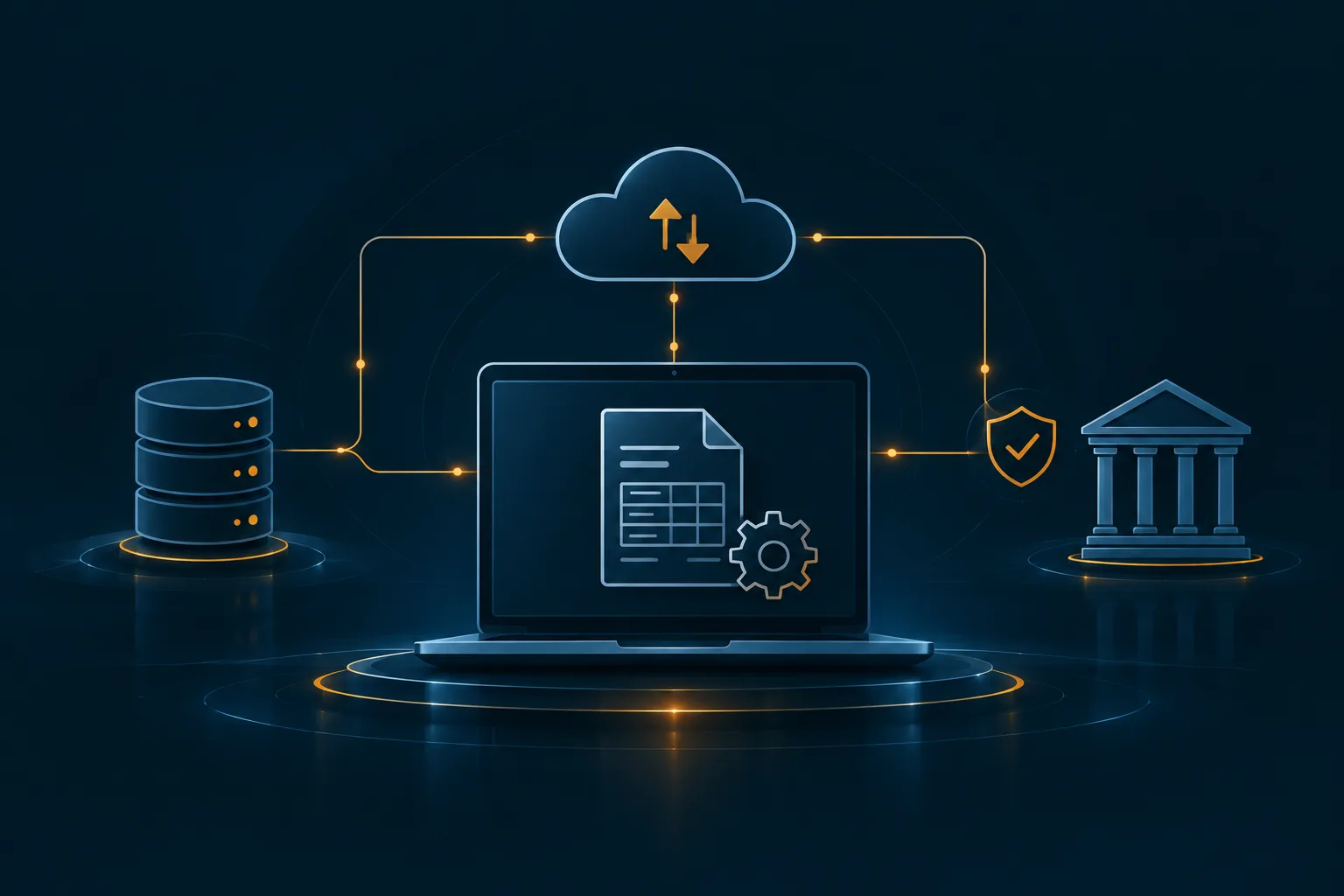
The MyInvois Portal may be just the beginning for many Malaysian businesses. With growing number of invoices, manual input of documents in the portal becomes an unrealistic task. The MyInvois API integration allows your ERP or billing software to deliver the e-Invoices to the LHDN directly, receive the validation reports and keep records synchronized.
This document provides the necessary information about the integration process, required things for the development process, and ways of testing and monitoring the integration. Before the development begins, make sure to check the prerequisites for MyInvois implementation, as most problems usually arise due to lack of preparation rather than coding issues.
MyInvois API Integration Workflow
The overall process flow starts as follows: Loop of registration and configuration and connection between your systems and LHDN:
- Register and configure access: You register your business on the MyInvois system and get the authentication credentials for your ERP (or another service provider acting as your intermediary).
- Authenticate: Your system asks for the access token before using the API.
- Generate the document: Your ERP information is transformed to the structured e-invoice document in JSON/XML format defined by LHDN.
- Submit: This is the submission of the document or a batch of documents to MyInvois.
- Validation: This is the check performed by MyInvois on the document and the result received.
- Store and distribute: The validated documents have a unique identifier and validation URL/QR code attached to the invoice and distributed to the buyer.
- Process changes: Cancellation, credit, debit notes, and rejection have their flows.
Do not consider it as one API call. All the problems in production occur between steps, for example, when a token expires, or when there is no response, or failed mapping, or when the status is not read back to your ERP.
Required Data and System Connections
Master data, transaction data and identifiers
The quality of your integration is determined by the data quality feeding into it. Make sure your ERP system can provide you with:
- Supplier data: legal entity name, Tax Identification Number (TIN), registration number, SST registration information, if applicable, address and contact details.
- Buyer data: legal entity name, TIN or other identification number, address. Incorrect buyer TINs are often a reason for failed transmissions.
- Item and tax data: description, classification code, unit of measure, type of taxes and their rate, exemptions.
- Transaction data: invoice number, issue date and time, currency, exchange rate for foreign invoices, totals, and payment terms.
- Type of document: whether it is an invoice, a credit note, debit note or self-bill, and connection to the original invoice, if applicable.
Master data clean-up is often underestimated. Ensure that there are no customer TINs in free text fields or different tax codes within the same legal entity.
APIs, middleware and access-point connections
The integration connection approach will generally take one of the following approaches:
- ERP-to-API direct integration. You use your ERP to connect directly to the LHDN APIs. You have full control; however, it will be your responsibility for handling authentication, retries, and versions.
- Integration middleware or platform. A software in-between layer connects your ERP to MyInvois. It works well for big enterprises with more than one ERP system.
- Service provider or intermediary. You have a service provider taking care of the connection under your approval.
Regardless of the integration approach, make sure you consider the following items: secure credential management, network connectivity to the LHDN endpoints, and maintenance responsibility.
ERP-to-Platform Data Flow
A reliable process for data flow will distinguish between trigger, transformation and transmission processes:
- Trigger: This is the triggering event of e-invoicing, such as invoice postings, approvals or releases. One must select a single point, which ensures no submission prior to completion of the task.
- Transformation: Transformation is a mapping step which maps ERP data fields into MyInvois document format. Coding and tax calculations are done here.
- Transmission: Submission service queues and sends out the documents and records the outcome.
This process will revolve around queuing rather than calling from invoicing screens. Queuing allows us to absorb surges during month ends and do retries without affecting the finance department users who could be waiting for a slow API call.
In case of multi-entity companies, we will need to make decisions early about whether the legal entity submits their invoices independently or they use a centralised system for submitting invoices on behalf of all the entities.
Pre-Submission Mapping and Validation
But the best place to identify an error is at the very beginning, when the document is being processed. Add a layer of validation and test for:
- Mandatory fields: presence of all mandatory fields and proper format.
- Identifiers: proper format of the supplier’s and buyer’s TIN and registration number.
- Codes: currency, country, state, unit of measure, and tax code and its classification code are from the published code lists.
- Calculations: proper calculation of line totals, tax amounts, and document totals, including proper rounding.
- Dates and sequence: validity of the dates and uniqueness of the invoices.
- References to documents: credit note and debit note references to the original document.
Make sure that you get readable messages about the errors, such as “Buyer TIN missing for customer C-10442”, that will be helpful for your finance staff. API error code is of no use here.
Do not forget that there are some activities on which you cannot issue a consolidated e-Invoice. Find out more about Malaysia consolidated e-Invoice restrictions.
Post-Submission Statuses and Exceptions
But submission is not the only action taken here. The MyInvois system will process the uploaded document and report back its status, and your integration needs to capture that information and update the record in your ERP system.
The possible statuses are as follows:
- Submitted / in progress: this means that the document was submitted for processing but has not reached completion yet.
- Valid: the document passed validation and received the unique ID and validation URL.
- Invalid: the document was rejected during validation, and the response contains all the reasons why.
- Cancelled: the document was canceled within the allowed period.
- Rejected by the buyer: the buyer issued a rejection request.
Exceptions need an owner. A practical approach:
- Send data exceptions (TIN mismatch, missing code) to finance or the master data management group.
- Send technical exceptions (timeout errors, authentication errors) to IT or the integration vendor.
- Manage cancellation and rejection within the business process and make sure there are approvals when necessary.
Never modify or delete the history of a failed transaction because you will need the details in case of audits and root cause analysis.
End-to-End Testing Before Go-Live
LHDN has a pre-production environment called Sandbox which is an exact replica of the production environment but will not generate any tax document in production mode.
A well-rounded test strategy should contain:
- Authentication: token generation, token expiry and token renewal.
- Document Types: Regular Invoice, Credit Note, Debit Note, and Self-Billing if applicable.
- Scenarios: Foreign Currency, Multiple Tax Types, Exemptions, Discounts, Rounding, Large Line Items.
- Negative Tests: Purposefully invalid documents to verify error handling.
- Volume Tests: Batch Processing and Peak Hour volumes along with API limits.
- Readback of Status: Verified status of the document after validation, invalid, cancellation of the document.
- Authorisation: If the third party submits the document on behalf of you, then the authorisation process should be tested.
Sign-off by finance, tax and IT teams is important because tax teams will pick up any mapping errors which technical tests may miss out.
Before going live, businesses should assess their Malaysia e-Invoice readiness to identify key requirements, address potential gaps, and ensure they are prepared to meet MyInvois compliance requirements.
Production Monitoring
Go live signifies the beginning of the operations phase. During production, observe:
- The submission success rate and the proportion of the documents received in an invalid state.
- Queues and latencies to spot any buildup prior to customer impact.
- Failed authentication attempts and dates after which credentials will expire.
- Stale documents that remain in an “in progress” state without reaching a final status.
- Top causes of errors indicating where the upstream data should be fixed.
- Reconciliation of ERPs and number of invoices with MyInvois documents.
Alerts should be defined with threshold and owners assigned. You may want to appoint a watcher for the updates of LHDN guidelines and specifications because API behavior and code lists evolve over time.
For businesses that prefer not to develop and maintain these capabilities in-house, an enterprise e-Invoicing solution for Malaysia can simplify ERP integration with MyInvois while reducing the need for custom development and ongoing maintenance.
Conclusion
The MyInvois API integration isn’t just about connecting to LHDN. It’s about starting with clean master data and a solid ERP trigger, followed by data validation, read-back of status, and monitoring of the process. Companies that see it this way save a lot of time dealing with rejected invoices and focus on efficient finance operations.
Good integrations start with proper data preparation before mapping, do pre-validation of documents before sending them to LHDN, and have a queue-based processing workflow with retries and handling month-end peaks. The integrations undergo end-to-end testing in the sandbox environment, including all negative scenarios, and are closely monitored after the go-live when the LHDN requirements keep evolving.
Regardless of the approach the priority is to establish an accurate, reliable, and traceable e-Invoicing system that supports compliance with Malaysia’s regulatory requirements.
FAQ's
The MyInvois portal is a web interface through which users create and manage their e-invoices manually. It is better suited for small volumes. With the API, your ERP or billing system submits documents and checks their status automatically, and that is the most suitable way for enterprises with large volumes or various systems.
The ERP (or a third party acting on its behalf) requests an access token by passing its credentials, issued through MyInvois, and sends it in every API call. Access tokens have a limited lifespan, so automatic renewal of the access tokens by the integration is necessary. Always store your credentials securely and renew them in accordance with your company’s security policy.
The sandbox is a test environment where you can submit example documents and verify the results without creating any tax records. The production environment is a live environment where submitted documents will be validated and will serve for compliance with tax requirements. Perform all your tests in the sandbox environment first.
The ERP should ask MyInvois to provide information regarding the status of the submission and the document after a short period or at scheduled intervals. The final status should be updated in the invoice along with the ID and validation link, and any invalid or old “in progress” documents should be identified.
It is important to log the payload, the response, timestamp, and the correlation ID for each attempt made. Only technical errors should be retried and not errors during validation, using the controlled back-off method.
Author


Kesha Shah
General Manager - Products Marketing
Kesha Kumar leads the global products marketing team at Cygnet.One, where she turns the complexity of tax and finance transformation into stories that resonate with the people who matter most. She’s the strategic force behind the brand’s presence across India, the GCC, Southeast Asia, and Europe, translating dense subjects like e-Invoicing mandates, digital engineering, and enterprise AI into narratives that inform and drive action. With expertise spanning tax and finance transformation, quality, enterprise applications, and data and AI, Kesha blends sharp strategic thinking with a marketer’s instinct for what truly connects. At Cygnet.One, she does more than build campaigns and content; she shapes the conversations that help enterprises navigate compliance with clarity and confidence, propelling the brand to the forefront of the industry along the way.